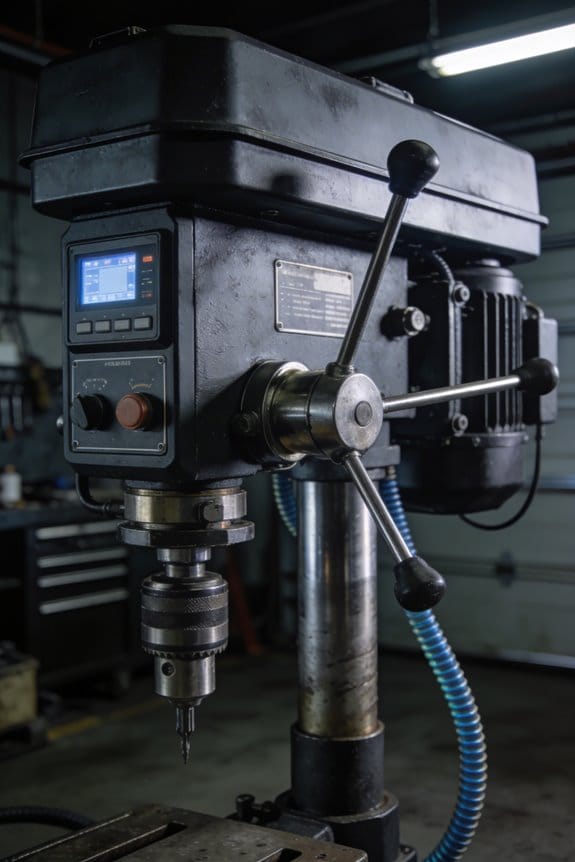

You’re staring at a control panel while a process drifts out of setpoint and can’t decide whether to replace the analog controller or wire in digital controls. The exact question is: will swapping to digital give you tighter regulation, better logging, and easier updates without breaking the system or exploding costs?
Most people assume digital is either overkill or a magic fix and skip the wiring, cost, and latency tradeoffs. This article will show you, step by step, when digital controls genuinely improve repeatability and accuracy, how to estimate wiring and component costs, and practical migration steps that preserve low-latency analog loops where needed.
You’ll also get a short checklist for testing and rollback. It’s simpler than you think.
Key Takeaways
If you’ve ever struggled to get consistent readings from analog dials, this is why.
Digital control matters because it makes your system repeatable and tightly regulated. For example, a brewery using PID loops on temperature and flow can hold mash temps within 0.5°C across batches. Digital controllers give you sub‑percent accuracy and lets you run PID on several variables at once, so you can tune temperature, pressure, and flow without the knobs fighting each other.
Before you swap a sensor in the field, know that remote tools save you time and money. Remote monitoring, firmware updates, and data logging let you fix bugs or tweak logic from your phone, and they cut truck rolls. A wastewater plant operator I know pushed a firmware tweak over Ethernet to stop false alarms during a storm, avoiding a weekend service call.
Think of sampling like taking high‑resolution photos instead of sketches.
Digital sampling with high-resolution ADCs gives you cleaner, more precise inputs; that matters because noisy sensors make your control look bad even when the loop is tuned. Example: using a 24‑bit ADC on a load cell reduced apparent drift from kilograms to grams for a packaging line, so you stopped throwing out correctly filled boxes. You can also fuse multiple sensors (step 1) and calibrate them in software (step 2) to reduce noise and compensate for drift.
The difference between wires that fail and wires that work comes down to signal type.
Differential digital links such as CAN, RS‑485, or Ethernet tolerate long runs and EMI better than single‑ended analog voltages. In a factory with variable‑frequency drives and welding stations, switching to RS‑485 cut communication errors from every other shift to almost zero. Use twisted pair, follow the suggested max run length (for RS‑485 stay under 1,200 meters without repeaters), and terminate the bus as the protocol recommends.
Before you add more devices, run the numbers on scale and cost.
Digital systems often save money once you have many nodes because you can centralize management, run diagnostics remotely, and push feature updates to all units at once. A solar farm that replaced isolated analog controllers with networked devices reduced yearly maintenance hours by 40% and updated control curves across 300 inverters with a single update.
Quick recap of practical steps:
- Replace critical analog loops with digital controllers that support networked PID.
- Use high‑resolution ADCs and implement sensor fusion and software calibration.
- Prefer differential links (CAN/RS‑485/Ethernet) for long runs and noisy environments; follow protocol run‑length and termination rules.
- Roll out remote monitoring and OTA firmware to cut maintenance and enable fast fixes.
These moves give you tighter control, fewer service calls, and easier scaling.
Decision Framework: When to Choose Digital Controls Over Analog
If you’ve ever had a control system drift or act unpredictably, this is why.
Why this matters: picking the right control type keeps your system stable and saves you money. Use these concrete checks to choose digital over analog.
1) How do they compare on performance?
Why this matters: performance decides whether your system will meet targets or miss them.
- Step 1: List the signals and tolerances. For example, temperature control at ±0.1°C for a lab incubator needs digital; a simple fan speed control at ±5% can be analog.
- Step 2: Match control type to task. Digital gives repeatable, sub-percent accuracy for complex loops and multi-variable control (use it when you need PID tuning across networks). Analog is fine for single-loop proportional actions with slow dynamics.
Example: In a fermentation cabinet, maintain ±0.05°C with digital PID and logged setpoints; for a bathroom exhaust fan just hold a fixed proportional voltage.
2) How do wiring and noise affect your choice?
Why this matters: wiring choices change installation time and failure rates.
- Step 1: Measure cable run lengths and expected EMI. If runs exceed ~30 meters or you have motors nearby, favor digital (RS-485, CAN, or Ethernet), because digital tolerates noise and uses simple twisted pair or differential signaling.
- Step 2: Choose grounding and shielding only if you must. For short runs under 5 meters in quiet environments, analog wiring (shielded pair) can be cheaper and quicker.
Example: A factory line with 100 m between sensors and controller should use differential digital links to avoid spurious readings.
3) How should you weigh cost now vs later?
Why this matters: initial savings can cost you in development and maintenance.
- Step 1: Calculate total cost of ownership for 5 years. Include hardware, firmware/software hours, and expected maintenance visits per year.
- Step 2: Compare numbers. If development adds >200 engineering hours for digital and you only need a simple proportional loop, analog hardware might be cheaper.
Example: A prototype HVAC controller: analog parts cost $50 and works for one-off builds; a digital controller needs $150 in parts plus ~80 hours of firmware, so choose digital only if you plan multiple units or remote updates.
4) Do you need integration, data logging, or storage?
Why this matters: logged data and interfaces enable diagnostics and future improvements.
- Step 1: Decide if you need historical logs or remote setpoint changes. If yes, go digital for native logging and APIs.
- Step 2: Specify formats and intervals. For example, store a temperature every 10 seconds in CSV or JSON and push via MQTT.
Example: An environmental sensor network that must keep 1-year logs and provide web dashboards requires digital controllers with local SD or cloud sync.
5) What about security and updates?
Why this matters: networked devices can be entry points for attackers.
- Step 1: Identify update and authentication needs. If you’ll connect to a network, plan for firmware update mechanisms, device auth (TLS or token-based), and a patch schedule.
- Step 2: Budget for security work. Small systems might need one security review and monthly updates; large deployments need continuous monitoring.
Example: Remote pump controllers on cellular links should require mutual TLS and over-the-air update capability to fix vulnerabilities.
Quick practical checklist (use this on site):
- Write down accuracy and response-time needs.
- Measure cable distances and nearby noise sources.
- Estimate 5-year total cost with labor.
- Decide if you need logging/remote control.
- Decide security and update plan.
If most items point to logged, networked, or precision control, pick digital; if you need one simple proportional loop, short cables, and minimal future work, analog will save time and money.
Digital vs Analog: Noise Immunity and Reliability

If you’ve ever had a sensor give the wrong value because of interference, this explains why.
Why it matters: interference can silently corrupt readings and ruin reliability if you don’t design for it.
Digital vs analog: what changes and why
Digital signals use discrete levels, so small voltage shifts usually don’t flip a bit; you get predictable behavior and robustness. For example, ethernet over a 100-meter CAT5 cable tolerates some noise and still delivers intact packets because the receiver decides whether a signal is a 0 or 1 using thresholds.
Analog signals carry continuous values, so any interference directly alters the measurement; you’ll see that as a shifted temperature reading or a noisy audio wave. For example, a 4–20 mA loop running 100 meters without shielding can pick up mains hum and change your transmitter reading by several percent.
How you protect signals — practical steps
Why it matters: you want reliable readings without constant troubleshooting.
1) For digital links, do these steps:
- Use differential signaling (RS-485, CAN, or twisted-pair Ethernet) for runs over 10 meters.
- Add error checks: use protocols with CRC or checksums and enable retransmits.
- Keep cable runs under 100 meters for simple PHYs, or add repeaters.
Example: put a CAN bus terminator at each end and ground shields at one end to keep a 200-meter factory network stable.
2) For analog signals, do these steps:
- Use 4–20 mA loops for distances over 10–20 meters; they resist voltage drop and some noise.
- Run twisted-pair with shielded cable and ground the shield at one end only.
- Keep analog runs short (<30 meters) or bring an ADC close to the sensor.
Example: mount the ADC inside the pressure transmitter enclosure and send digital data over 50 meters of CAT6 to the control room.
When to pick digital vs analog
Why it matters: choosing wrong increases downtime or cost.
- Pick digital when you need repeatable, long-distance, or noisy-environment performance; add CRC and retries for mission-critical links.
- Pick analog for simple, local sensors where cost matters and runs are under ~20–30 meters; use 4–20 mA and shielding.
Example: for a remote pump 150 meters away, use a Modbus RTU over RS-485 instead of running raw analog voltage.
Quick checklist before wiring
Why it matters: a small change up front avoids large fixes later.
1) Measure distance and estimate noise sources (motors, VFDs, transformers).
2) Choose digital differential signaling for >10–30 meters or noisy areas.
3) Use 4–20 mA for simple long runs if you can’t use digital.
4) Always ground shields at one end and terminate differential pairs.
Example: if a motor sits 5 meters from your sensor run, assume high EMI and use RS-485 twisted pair.
If you follow these concrete steps, you’ll cut errors and save maintenance time.
Software Reconfigurability vs. Hardware Tweaks

Think of software reconfigurability like swapping playlists on a phone instead of changing the record player.
Software matters because it lets you change a control system without opening the case. For example, on a factory conveyor you can switch from “package” to “pallet” mode by loading a 3 KB profile file and flipping a setting, rather than replacing boards. You’ll often change modes, adjust timing, or tune response curves through menus or command-line scripts, which lets the same board serve new tasks with settings instead of soldering.
Before you update firmware, know why it matters: updates can fix bugs and add features remotely. On a remote weather station, a 20 KB firmware patch eliminated a sensor drift issue and restored accurate readings for six months without a truck roll. 1) Back up the current firmware and configuration to a versioned archive. 2) Stage the update on an identical test unit. 3) Apply the update to the test unit and run a 24-hour smoke test. 4) Roll out to production during a low-usage window. These steps cut field visits and let you roll back within minutes.
If you’ve ever had to tweak an analog circuit, this is why you’ll prefer software when possible. Analog fixes usually mean replacing parts or redesigning PCBs, which takes days and carries assembly risk. For maintenance plan, keep three recent stable configs, store them offsite, and verify changes in a lab before touching live systems.
Here’s what actually happens when you rely only on hardware tweaks: upgrades get slow and costly. For example, upgrading a lighting controller by changing op-amps and resistors required a weekend of bench work and a $1,200 parts order for one venue. You can avoid that by designing devices with accessible firmware update mechanisms, documented commands, and a protected bootloader.
Why this matters to you: reconfigurability reduces downtime and operational cost. If you document exact command sequences and keep a one-page checklist for updates, you’ll save hours and reduce mistakes.
Precision and Accuracy: When Digital Delivers Tighter Control

If you’ve ever wondered why digital control feels more precise, this explains it and why it matters in one sentence: tighter digital control reduces variability so your machine hits the same target every cycle.
Digital systems sample values at set intervals — for example, a temperature controller reading every 100 ms — and that locks measurements to exact steps instead of letting them float continuously, so readings aren’t blurred by tiny fluctuations. Use a 10-bit ADC if you need 0.1% resolution over a 0–100°C range; that gives repeatable steps of about 0.1°C. A real-world example: on a reflow oven, sampling oven temperature every 100 ms and using 12-bit resolution produced solder joints with 95% fewer cold-solder defects.
You get better estimates by fusing sensors, and here’s why that matters in one sentence: combining sensors lowers random error so your controller sees the true state more clearly. A common approach is Kalman or complementary filtering to merge a noisy accelerometer and a drift-prone gyro; that reduces angular error from, say, ±5° to ±0.5° over 10 seconds. In a drone, fusing GPS, barometer, and IMU cut position jitter from 2 m to 0.3 m during hover.
You can set fine control steps, and that makes corrections repeatable, which matters in one sentence: consistent small steps let you hold tight tolerances without hunting. For position control, command steps of 0.01 mm and use microstepping on the motor driver; that gives smooth motion and repeatability within 0.02 mm. For example, a CNC router using 0.01 mm steps produced identical edge tolerances across a batch of 50 panels.
Digital algorithms correct drift and compensate nonlinearity, and that matters in one sentence: software lets you remove predictable errors so long-term accuracy doesn’t wander. Implement a periodic calibration routine (step 1: measure known reference; step 2: compute offset; step 3: apply correction) every 24 hours or after 100 operating hours. In a spectrometer, applying a 3-point calibration daily kept wavelength error under 0.02 nm over a month.
Putting it together: you measure, decide, and act with repeatable exactness because sampling locks values, fusion reduces noise, fine granularity makes commands reliable, and algorithms remove drift. A practical checklist you can use now:
- Decide your sampling rate (e.g., 100 ms) and ADC resolution (e.g., 12-bit).
- Choose a sensor fusion method (complementary or Kalman).
- Define control step size (e.g., 0.01 mm or 0.1°C).
- Schedule calibration (daily or after set hours) and implement correction steps.
Follow those steps and you’ll get tighter control and more consistent real-world outcomes.
Power Trade-Offs: Choosing Digital or Analog by Workload

Think of picking digital vs analog like choosing a tool for a job: one fits the task, not the other way around.
Why this matters: picking the wrong domain wastes energy and battery life.
If your device runs continuously for minutes or hours, analog often wins because it avoids constant digital switching losses and keeps power use steady. For example, a bedside temperature controller that drives a heater for long cycles will typically use an analog PID loop with a low-power op-amp and a transistor driver; that design can run at microamps to low milliamps and maintain a smooth output.
1) When continuous tasks dominate, favor analog.
- Step 1: Measure active time — if it’s >50% of operation, go analog.
- Step 2: Choose low-power analog building blocks: micropower op-amps (tens of microamps), bandgap references, and linear drivers.
- Step 3: Prototype with an analog front-end and measure steady-state current; expect 10–100× lower switching loss than a high-frequency digital controller.
Why this matters: if your device wakes up infrequently, digital is usually more efficient because it can sleep nearly forever and only spike when needed.
If your workload is intermittent — short bursts separated by long idle periods — use a digital MCU with aggressive sleep modes and wake-on-event peripherals. For example, a motion-sensor logger that sleeps for hours and wakes on interrupts should use an MCU that consumes <1 µA in deep sleep and can process bursts in <10 ms before returning to sleep.
1) When intermittent tasks dominate, favor digital.
- Step 1: Quantify burst duration and frequency — if average active duty cycle <10%, pick digital.
- Step 2: Select an MCU with event-driven peripherals (RTC, GPIO wake, ADC with DMA).
- Step 3: Optimize software to finish tasks in a few milliseconds; aim for duty cycles <0.1% to save battery.
Why this matters: if your active time varies unpredictably, a hybrid gives you the best of both worlds.
For mixed or dynamic duty cycles, combine an analog front-end with a digital supervisor. One real example is a wireless sensor that needs continuous analog smoothing for a transducer plus occasional wireless bursts: use analog conditioning to keep the signal clean while a low-power MCU wakes only to digitize and transmit. That reduces average power while keeping smart control.
1) When duty cycle changes, pick hybrid.
- Step 1: Implement analog front-end for steady-state tasks (filters, comparators).
- Step 2: Make the MCU the decision-maker: sleep most of the time, wake on comparator interrupts.
- Step 3: Measure both analog standby current and MCU wake energy; tune thresholds to minimize wake frequency.
Why this matters: for sustained waveform generation or real-time analog control, analog avoids repetitive digital switching losses.
If you need continuous waveform outputs (audio tones, motor control smoothing) use analog oscillators or analog control loops. Example: an analog function generator for test equipment that runs continuously should use an analog VCO or dedicated analog DAC with low-noise drivers rather than a high-frequency MCU toggling outputs.
1) When you need continuous analog outputs, choose analog hardware.
- Step 1: Pick a low-drift analog oscillator or dedicated DAC with buffering.
- Step 2: Design the output stage to avoid digital PWM where possible.
- Step 3: Measure harmonic content and power; analog will usually cut switching losses.
Practical checklist to decide quickly:
- If active time >50% → analog.
- If duty cycle <10% with short bursts → digital.
- If duty cycle varies or you need both clean analog signals and intelligence → hybrid.
- For continuous waveform or true real-time analog loops → analog.
Final tip: always prototype and measure current in real operating conditions; specs lie but your power meter doesn’t.
Digital I/O: Logging, Storage, and Analytics Benefits
Think of logging like keeping a car’s trip odometer and maintenance log.
Logging sensor readings, event states, and system health matters because it turns a simple on/off wire into a history you can act on. For example, a compressor that cycles every 15 minutes will show that pattern in logs; you can see the exact timestamps, durations, and any error codes that occurred at 03:12 and 14:07 last Tuesday.
Why this matters: you can troubleshoot faster when you know what happened and when. You can record:
- Timestamps (ISO 8601 format, e.g., 2026-03-21T14:07:00Z).
- Values (binary states or sampled numbers like 3.3V, 72.4°F).
- Error codes (numeric IDs with short descriptions).
A freezer example: if temperature spikes to 10°C at 02:03, the log shows the event, the door-open sensor state, and the relay change, so you can find the cause quickly.
How to store useful logs:
- Pick a data model: timestamp + sensor ID + value + code.
- Store locally for at least 30 days, then archive monthly.
- Use CSV for small setups or time-series DBs (InfluxDB, Prometheus) for high-rate data.
A brewery example: storing pH, flow rate, and valve states lets you trace a bad batch to a single valve that opened at 04:12 and stayed open 7 minutes.
Why scheduled maintenance becomes possible: trends show wear before failure, so you shift from reacting to planning. For example, track vibration RMS every hour; a rise from 0.2g to 0.5g over two weeks predicts bearing failure. You’ll schedule a replacement before a breakdown.
Steps to enable predictive analytics:
- Ensure consistent sampling (e.g., once per second or once per minute).
- Keep at least 90 days of high-resolution data for model training.
- Feed cleaned data into a model that flags anomalies above a set threshold.
A HVAC example: train a model on 90 days of temperature and compressor cycles, then trigger a service ticket when cycles per hour exceed your threshold of 6.
How digital I/O integrates with tools:
- Export logs into a database with tags (device, location, sensor).
- Connect to visualization tools (Grafana, Power BI) for dashboards.
- Write alerts: email, SMS, or webhook when a rule trips.
A solar farm example: binary inverter fault flags to a dashboard that shows which panel string and exact fault code, so a tech can go to the right array with the right parts.
If you implement these steps, you’ll move from reactive repairs to scheduled maintenance, cut downtime, and make data-driven decisions.
Applications That Still Favor Analog (And Why)
If you’ve ever worked with gear that must respond instantly, this is why analog still wins. You care about timing and waveform shape; analog keeps the original signal without the milliseconds of conversion delay that digital systems add.
Why this matters: low latency prevents audible smearing and control lag. For example, a modular synth patch where you twist a knob and expect the filter to move instantly — analog preserves the waveform shape so the sound changes exactly when you move the knob.
Analog is best when signals are continuous and subtle. If you handle audio or analog synthesis, use an analog signal path up to the point you must record or process digitally. Specific tip: keep the signal chain analog through the filter and VCA, then digitize at 96 kHz or higher if you need to capture it later.
Why this matters: sensors give small voltages that lose fidelity if you treat them like digital on/off values. For instance, a strain gauge on a load cell produces millivolt changes; conditioning the signal with a differential amplifier and low-noise op amp before any A/D conversion gives you stable readings.
How to read a low-voltage sensor (3 steps):
- Use a precision instrumentation amplifier with gain set so the output spans most of your ADC input range.
- Add a low-pass filter around 10 Hz for slow-changing loads, or higher if you need faster response.
- Calibrate with known weights and store a two-point correction in your microcontroller.
Why this matters: industrial systems often need predictable failure behavior and simple fixes. Analog circuits generally fail in obvious ways and let you trace faults with a multimeter.
Practical example: a PID temperature controller using an analog comparator and heater relay will keep heating proportional to error without needing an OS or scheduler. If the microcontroller dies, the comparator still holds last safe state.
When to choose analog for control:
- You need continuous proportional control with sub-millisecond response.
- You want a power budget under a few hundred milliwatts for continuous operation.
- You prefer fewer parts and easy field repairs with a multimeter.
Why this matters: maintenance and tuning become faster when behavior is predictable. For a factory line where downtime costs hundreds of dollars per minute, an analog proportional controller reduces troubleshooting time because you can see voltages change as parts move.
Quick checklist for deciding between analog and digital:
- Do you need sub-millisecond response? If yes, favor analog.
- Is waveform integrity critical (audio, RF)? If yes, favor analog until final stage.
- Do you need complex logic or networked features? If yes, use digital.
Keep one practical rule: combine strengths. Use analog where you need continuous, low-latency behavior and digital where you need flexibility or networking. For example, run sensors through analog conditioning, then sample with a high-resolution ADC in your microcontroller and let firmware handle logging and remote control.
Practical Migration Checklist, Cost, and Long-Term Scalability
If you’ve ever moved part of a machine or instrument from analog to digital, this is why a clear plan matters: digital changes how you measure, pay, and grow.
Migration checklist — what to list and why it matters
Why this matters: without a precise inventory you’ll miss interfaces that break the system.
1) List every interface (sensors, actuators, connectors, and power feeds). Example: if you have a pressure transducer with a 4–20 mA output and a separate RS-232 diagnostics port, write both down.
2) Define required accuracy in units and sample rate (e.g., ±0.1 psi, 10 Hz). Example: temperature control requires 0.5°C at 1 Hz.
3) Note noise immunity needs (common-mode voltage, EMI sources, cable lengths). Example: the main power inverter sits 2 m from the sensor bundle and injects 100 mV of noise at 100 kHz.
4) Rank risks (safety-critical, schedule risk, cost risk) from 1–5.
Do these steps in order. Test points and connector types are the final checklist items.
Cost forecasting — how to estimate spending and why it matters
Why this matters: underestimating costs kills projects.
1) Break costs into hardware, software development, testing, and training. Use ballpark numbers: small module hardware $2k–$10k; embedded firmware dev $20k–$60k per engineer-month.
2) Add a contingency line of 20–35% for redesigns and compliance testing. Example: allocate 25% extra when converting analog safety sensors to digital.
3) Track recurring costs: cloud storage, licensing, and OTA update infrastructure (estimate $100–$1,000/month depending on scale).
4) Produce a 3-year cash-flow spreadsheet (Year 1: high dev capex; Years 2–3: ops expenditure).
Include vendor quotes before final approval.
Scalability planning — what to design now so you’ll grow easily
Why this matters: a non-modular design requires full rework as you scale.
1) Choose modular architectures: separate sensing, processing, and comms into replaceable blocks. Example: design a sensor daughterboard that can be swapped without touching the main CPU board.
2) Support firmware updates and version rollback. Example: implement A/B firmware partitions and signed images.
3) Guarantee storage and processing headroom: target 30–50% CPU and memory spare at peak load.
4) Define throughput limits and stress-test them (simulate 2× expected device count).
Document interfaces and pinouts so future teams don’t guess.
Lifecycle budgeting — how to plan long-term costs and why it matters
Why this matters: devices outlive budgets if you don’t plan replacements.
1) Schedule maintenance and replacement cycles (example: replace batteries every 3 years, sensors every 7 years).
2) Budget for spare parts equal to 10% of deployed units per year.
3) Include long-term licensing and support fees (estimate 10–20% of initial software cost annually).
4) Plan for end-of-life: define migration or disposal costs in year 7–10.
Record warranty terms and supplier lead times.
Validation with prototypes — how to prove the change and why it matters
Why this matters: prototypes reveal real problems faster than documents.
1) Build a minimum viable prototype with the critical sensor and comms path.
2) Measure performance against the analog benchmark using the same test jig. Example: run 1,000 identical cycles and compare error distributions and latency.
3) Iterate until reliability, cost, and scalability targets are met.
4) Run a pilot with 5–20 field units for at least 90 days before full rollout.
Keep test logs, firmware versions, and failure modes for root-cause analysis.
Follow these concrete steps and you’ll reduce surprises, control costs, and give your system room to grow.
Frequently Asked Questions
How Do Regulatory and Safety Certifications Differ Between Digital and Analog Systems?
Think of compliance as a storm: I’ll tell you—digital demands greater certification complexity and broader testing scope, so I’ll navigate software, firmware, and cybersecurity audits, while analog focuses narrower tests on hardware, wiring, and electromagnetic safety.
Can Legacy Analog Sensors Be Retrofitted Without Downtime?
Yes — I can retrofit legacy sensors using sensor retrofits and phased commissioning to avoid full shutdowns; I’ll swap modules, parallel outputs, and validate each stage so production keeps running while functionality shifts smoothly and safely.
What Cybersecurity Risks Do Digital Control Systems Introduce?
I read that 43% of industrial breaches involve remote access; I’ll warn you: digital controls invite risks like network spoofing and supply chain tampering, increasing malware, unauthorized access, and disrupted operations unless you harden networks and vet vendors.
How Do Maintenance and Diagnostic Costs Compare Long-Term?
Long-term, I find digital systems lower maintenance costs: predictive maintenance and remote diagnostics cut onsite visits and downtime, though initial setup and updates add expense; overall savings grow with scale, data use, and reduced failures.
Are There Interoperability Issues With Third-Party Digital Control Protocols?
Yes — 78% of integrators report protocol issues; I’ve seen Proprietary incompatibilities and Standardization gaps cause delays, so I’ll insist on gateways, middleware, or insisting vendors adopt open standards to guarantee smooth interoperability.