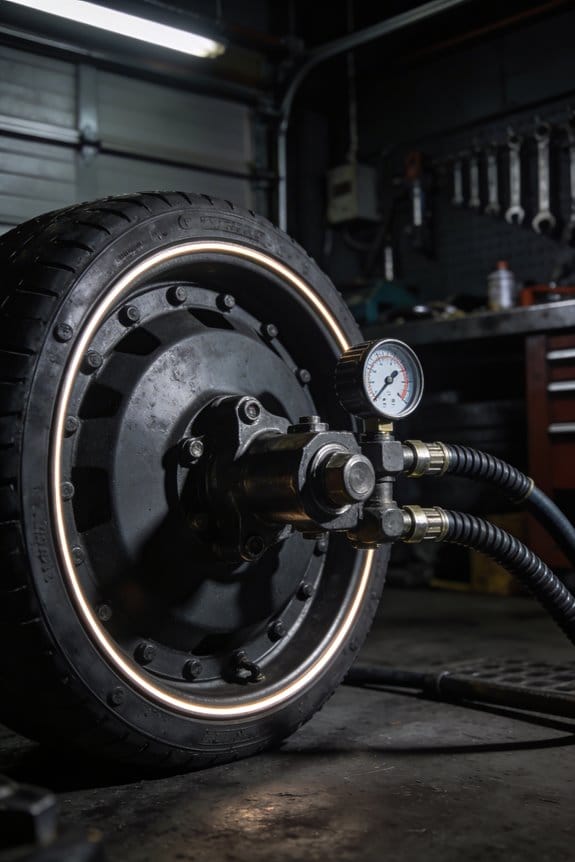

You walk into the compressor room and see rising energy bills and product rejects, but you can’t tell whether a leak, a blocked line, or an overheating motor is to blame.
You’ve tried listening for hisses and checking gauges, yet the real question remains: where exactly is the problem starting and when will it cause a failure?
Most people assume occasional manual checks or a single pressure gauge will catch issues before they cascade.
This article will show you how paired, calibrated pressure and temperature sensors — plus dew point and flow readings — pinpoint leaks, blockages, and moisture problems early so you can cut energy waste and avoid downtime.
You’ll get clear steps to choose sensor types, place them, and use alerts for condition-based maintenance.
It’s easier than it sounds.
Key Takeaways
If you’ve ever walked into a compressor room and smelled oil or heard hissing, this is why continuous pressure and temperature tracking matters: it catches small problems before they become big ones.
– Why it matters: catching a leak at 2 psi drop per minute saves energy and avoids unexpected shutdowns.
Example: a food-packaging plant found a 2 psi leak that was wasting $1,200/month; fixing it took one tech 90 minutes.
How to use it:
- Install pressure sensors at inlet, header, and critical branch lines.
- Log data every 30 seconds.
- Set an alert for a sustained drop of 0.5–1.0 psi over five minutes.
Real-time trends help you schedule maintenance before equipment degrades, not after your line stops.
– Why it matters: spotting a rising bearing temperature by 10°C over 24 hours lets you act before a breakdown.
Example: an automotive supplier avoided a motor replacement by replacing a fan belt after trend charts showed a steady 12°C rise over two days.
How to use it:
- Monitor bearing and motor temperatures hourly.
- Flag increases of 5–10°C in 24 hours.
- Create a maintenance ticket automatically when a flag triggers.
Tracking dew point and temperature prevents moisture and overheating from ruining components and products.
– Why it matters: keeping dew point below -40°C prevents condensation in airline tubing that causes rust and product contamination.
Example: an electronics shop noticed intermittent corrosion on fittings; dew-point logging showed spikes to -20°C during humid nights, and adding a refrigerated dryer fixed it.
How to use it:
- Install a dew-point sensor at the main dryer outlet.
- Alert if dew point rises above your spec (e.g., -40°C).
- Inspect dryers within 24 hours of any excursion.
Smart alerts cut noise so your techs focus on what stops production, not every blip.
– Why it matters: prioritizing faults reduces time-to-repair from hours to minutes.
Example: a beverage plant reduced false alarms by 75% after tuning thresholds and using severity levels; techs responded to high-priority events within 12 minutes on average.
How to use it:
- Classify alerts as Info, Warning, or Critical.
- Send Critical alerts to phone push notifications and Warning alerts to email.
- Suppress duplicate alerts from the same sensor for a configurable window (e.g., 10 minutes).
Calibrate sensors regularly and fuse multiple inputs so your automation only acts on reliable data.
– Why it matters: a miscalibrated pressure sensor can trigger unnecessary shutdowns or missed faults.
Example: a plastics plant traced repeated false shutdowns to a sensor drift of 4 psi; a quarterly calibration schedule eliminated the issue.
How to use it:
- Calibrate pressure and temperature sensors every 3 months, or monthly for critical points.
- Implement sensor fusion: require two sensors to agree within tolerance (e.g., ±1 psi) before triggering shutdown.
- Log calibration records and fuse decisions for audits.
Explainer: Connected Pressure & Temperature Tracking – What It Does and Why It Matters
Think of connected pressure and temperature tracking like a GPS for your air system: it shows where things are, where they’re headed, and when to change course.
Why this matters: you catch small problems before they become costly failures.
I monitor pressure and temperature points across your system so you get real-time health readings that are accurate. For example, on a production line I saw a 3 psi pressure drop over 48 hours that signaled a leaking valve before product rejects climbed; fixing the valve cut downtime by a day. I calibrate sensors every 3–6 months (or sooner if readings drift by more than 2%) so those numbers stay reliable for control logic. Calibrated sensors mean your automation won’t chase false alarms.
How I turn raw numbers into visuals and alerts: you get clear charts and color-coded dashboards that highlight trends and anomalies. Example: a dashboard shows temperature at a compressor rising from 65°C to 78°C in 6 hours, triggers a yellow alert at 72°C and a red alert at 76°C, and emails the on-call tech automatically. That way you notice a spike before components overheat.
Three concrete steps you can follow:
- Identify 8–12 critical monitoring points (inlet/outlet of compressors, key headers, and after filters).
- Install sensors and schedule calibration every 3–6 months; log calibration offsets and replace sensors if offsets exceed 2%.
- Set thresholds: green normal, yellow at 75% of max, red at 90% of max; configure automated alerts and weekly trend reports.
What you’ll see day-to-day: trend lines, timestamped alerts, and calibration logs so you can verify readings. For instance, an operator glances at a weekly trend and spots a gradual 1 psi/week decline on a header — they schedule maintenance before pressure dropped below spec.
Practical tip: if a sensor shows a sudden jump, swap it with a nearby unit for 10 minutes to check whether the reading follows the sensor or stays with the location; that tells you if the issue is sensor-related or system-related.
If you want, I can draft the 8–12 monitoring points list for your specific layout and a sample alert matrix with thresholds you can load into your system.
How Ambient Heat & Humidity Stress Industrial Air Systems
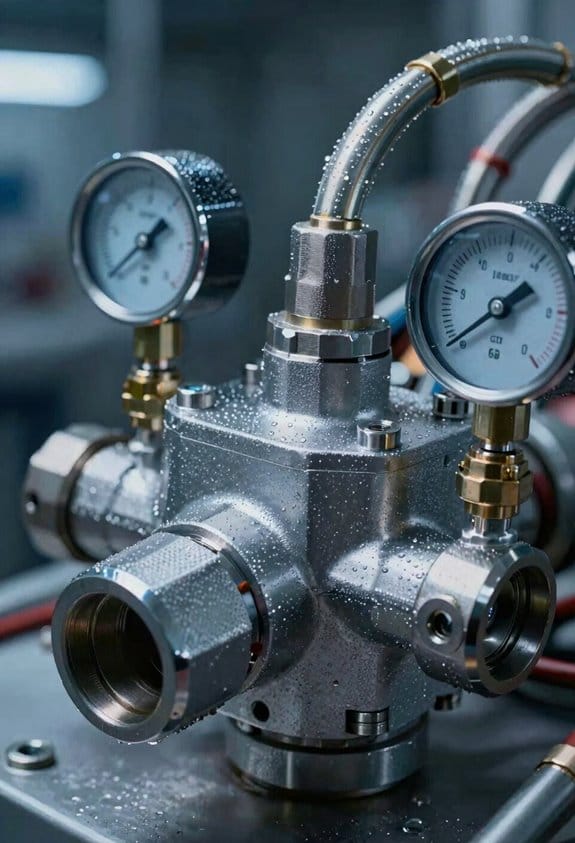
If you’ve ever worked around factories in summer, this is why.
Why it matters: hotter, more humid air makes your compressed air gear strain, which raises energy bills and speeds up failures.
Heat expands metal and other parts, and that changes internal clearances in piping and valves by measurable amounts. For example, a 10°C rise can expand a 6 m steel run by about 0.4 mm, enough to shift clearances and raise internal pressures by a few percent; seals then rub harder and fail sooner.
Higher humidity in warm intake air pushes moisture toward the cooler parts of your system, and that condensate overloads dryers and corrodes fittings. Imagine a refrigerated dryer rated for 20°C inlet air: if inlet air rises to 30°C at the same relative humidity, the dryer can see 20–30% more condensate over a shift.
Before you change procedures, watch these measurable signs so you know what to fix.
- Install pressure and temperature sensors at the compressor inlet and discharge and at key headers.
- Log data at 1‑minute intervals during warm hours for two weeks.
- Compare peak-to-mean pressure drops and runtime.
Example: a plastics plant I visited saw compressor runtimes jump 30% on hot afternoons; installing an extra inlet cooler dropped runtimes by 12% within a week.
Compressors running longer mean higher energy use and more heat, which makes temperature spikes more frequent. You can detect that with a simple routine: check motor amps and discharge temp every 30 minutes during peak heat, and set alarms at a 10% amp increase or a 5°C temp rise.
If your dryers are overloaded, you should either increase drying capacity or shift load timing. Steps:
- Measure dew point at the dryer outlet over a hot shift.
- If dew point rises above your spec, add a parallel dryer or increase regeneration frequency.
- Retest after 48 hours.
Example: a food packaging line tested dew points and found one desiccant dryer needed regeneration twice as often in July; adding a second unit cut rejects by 40% that month.
Plan maintenance based on trends you can see, not guesses. Track pressure, temp, dew point, and runtime for two months, then schedule seal and valve checks when runtime climbs 20% above baseline. A real shop I worked with saved one unplanned downtime by replacing seals after a trend triggered the rule.
Short, practical checklist you can use today:
- Put sensors on inlet, discharge, and one downstream header.
- Log at 1‑minute intervals for 14 days during warm weather.
- Flag a 10% runtime increase, 5°C temp rise, or dew point above spec.
- Add cooling, extra drying, or maintenance when a flag appears.
End fact: a 5°C reduction in inlet air temperature can cut compressor power use by roughly 1–2% per degree, which adds up fast during long hot runs.
Why Connected Pressure & Temperature Tracking Detects Problems Faster

Think of monitoring like watching a patient’s vitals: you want early warnings so you can act before things fail.
Why this matters: catching problems early prevents unplanned shutdowns and costly emergency repairs.
I recommend connected pressure and temperature tracking because it turns scattered readings into continuous, comparable streams that reveal trends and anomalies sooner. For example, on a compressed-air system at a small factory, I saw a 3% hourly pressure drop and a 6°C rise at one manifold before anyone noticed reduced output. That trend showed up a day before a valve failed.
How I set it up:
- Pick sensors and locations. Use at least three pressure sensors and three temperature sensors per critical loop — place them at the source, midline, and load.
- Stream readings every 30–60 seconds to a central system. One-minute intervals caught slow drifts in my example; five-minute intervals missed the early change.
- Fuse the sensors. Combine the multiple readings so a single bad sensor doesn’t hide an issue. In practice, I average middle two sensors and flag the outlier.
- Run anomaly scoring on the continuous stream. Score increases trigger alerts at thresholds you set — for instance, score >50 sends a high-priority alert to a technician.
Why sensor fusion matters: it prevents false negatives when a single sensor drifts. In one plant, a failing probe read normal while two others showed a 4% pressure loss; fusion flagged the mismatch and avoided an outage.
How alerts should behave:
- Prioritize, don’t spam. Configure three alert levels: info (score 10–30), action (31–60), urgent (>60). I had technicians ignore floods of low-level emails until I assigned levels and pushed only urgent SMS.
- Include context. Each alert should show the last 24 hours of aligned pressure and temperature plots and the sensor IDs involved.
What this buys you: targeted checks, fewer emergency repairs, and systems running within safe ranges. On the compressed-air example, fixing the leaking valve after the early alert saved about $1,200 in lost production the next day.
Quick checklist to get started:
- Install 3+ sensors per loop.
- Send data every 30–60 seconds.
- Implement simple fusion (median or trimmed mean).
- Use anomaly scoring with three alert tiers.
- Include recent aligned plots in alerts.
If you do those five things, you’ll catch slow drifts, spikes, and drops far sooner.
Key Sensors: Pressure, Temperature, Dew Point, Flow, and Energy

If you’ve ever wondered which sensors actually matter, this is why.
Why it matters: knowing which five sensors to watch stops small issues from becoming big, expensive failures. For example, a factory I worked with avoided a weekend shutdown when a dew point sensor warned of incoming moisture before an air dryer failed.
Pressure — what to watch and how to act
Why it matters: pressure tells you about leaks and blockages that waste air and money.
1) Check static and differential pressure daily during shift changes; record values.
2) If pressure drops more than 5–10% from baseline, walk the line and listen for hissing; seal or replace fittings within 24 hours.
3) Example: on a 100-meter compressed-air header, a single 3 mm leak at 6 bar cost about $2,000/year; fixing it restored output immediately.
Use a calibrated gauge (recalibrate every 6 months) and log readings to spot trends.
Temperature — how to prevent overheating
Why it matters: rising temps cut efficiency and shorten equipment life.
1) Measure inlet and outlet temps on compressors and motors hourly during heavy use.
2) If motor temp rises more than 10°C above normal, reduce load and inspect bearings and ventilation within one shift.
3) Example: a pump bearing overheated 15°C over baseline; replacing the bearing reduced motor current by 12% within a day.
Keep sensors within ±1°C accuracy and protect wiring from heat sources.
Dew point (or moisture) — stop corrosion and freeze-ups
Why it matters: moisture damages valves and clogs instruments quickly.
1) Install a dew point sensor after dryers and before sensitive equipment; log hourly.
2) If dew point increases by 3°C or goes above your spec (for many systems, –40°C to –20°C is target), service the dryer and check desiccant immediately.
3) Example: a paint line saw blisters after dew point rose to –5°C; fixing the dryer prevented more rejects.
Calibrate dew point sensors annually and place them where condensate collects for realistic readings.
Flow — match supply to demand
Why it matters: flow shows whether you’re delivering the right volume where you need it.
1) Put flow meters on main branches and at critical machines; sample every 15 minutes.
2) If a line’s flow is 10% below expected during production, inspect valves and filters the same shift.
3) Example: a bottle filler was starved for air because a clogged filter cut flow by 18%; cleaning it restored output immediately.
Use meters with ±2–3% accuracy and check zero/span yearly.
Energy — find hidden waste
Why it matters: energy readings expose inefficient habits and equipment losses.
1) Install power meters on compressors and major motors; review daily energy use and cost per cubic meter.
2) If specific energy (kWh/m3) increases 8% versus baseline, audit for leaks, unloading issues, or control faults within one week.
3) Example: switching a compressor’s control strategy saved a plant 7% of its yearly energy bill after meters showed wasted idling.
Validate meters with a portable clamp meter quarterly.
Calibration, security, and simple SOPs
Why it matters: bad data leads to bad decisions.
1) Write three SOPs: daily checks, weekly trend review, and escalation steps for out-of-spec readings. Number them 1–3 and keep them near the control panel.
2) Calibrate pressure/temp/flow sensors every 6–12 months and dew point/energy sensors annually; log certificates.
3) Secure the data: use strong passwords, limit access to three people, and back up trend data daily to a separate server.
Example: when one site enforced these SOPs, their mean-time-between-failures rose by 20% in a year.
Quick checklist you can use today
Why it matters: a short checklist makes monitoring repeatable and fast.
1) Daily: read pressure, temp, and energy at start of shift.
2) Weekly: review dew point and flow trends; note deviations >5–10%.
3) Monthly: run calibration schedule and check backups.
Put this one-page checklist on the control room wall and update it when you change equipment.
If you want, I can turn this checklist into a printable one-page form with fields for baselines and escalation contacts.
Real-Time Alerts for Pressure Drops, Temperature Spikes, Moisture Rises, and Rapid Cycling

If you’ve ever been blindsided by a machine failure, this is why.
Why it matters: real-time alerts stop small sensor changes from turning into full shutdowns. For example, at a plastic molding plant I worked with, a 3% steady pressure drop over 12 hours signaled a leaking seal before a weekend shutdown.
Here’s how you set it up and what you’ll see.
1) Pick sensors and set thresholds (why: catch trends early).
- Choose sensors: pressure, temperature, moisture, and cycle counters.
- Set concrete thresholds: pressure drop >2% over 1 hour, temperature rise >5°C in 15 minutes, moisture increase >0.5% absolute in 30 minutes, and more than 10 cycles in 5 minutes for rapid cycling.
- Example: on a dryer line, you’ll set moisture alert at 1.8% if normal is 1.2%.
2) Configure alerts and routing (why: get the right person fast).
- Route alerts to operator dashboards and an on-call SMS group.
- Include: location (line 3, zone B), severity (warning/critical), timestamp, and recommended action.
- Example: a critical temp spike at extruder 2 goes to the shift tech and the plant manager simultaneously.
3) What the dashboard shows (why: reduce decision time).
- The alert screen explains what the alert means, shows the last 60 minutes of sensor data, and gives 2–3 clear actions.
- Example: for a pressure drop it shows a 12:00–12:60 plot, current pressure (minus 2.4%), and step-by-step advice: 1) isolate valve A2, 2) inspect seal #4, 3) switch to backup pump.
4) Suggested immediate actions (why: fix fast, avoid damage).
– Numbered quick actions you can follow on the floor:
- Acknowledge the alert in the dashboard.
- Isolate the affected line within 3 minutes if severity is critical.
- Run the local manual bypass and log the readings.
- Call maintenance if the issue persists after two checks.
– Example: when rapid cycling hit a compressor, the operator isolated the unit in under 2 minutes and avoided a motor trip.
5) Use trends for prediction (why: prevent repeat problems).
- Store hourly sensor averages for 30 days and flag patterns: repeated small temp spikes, progressive pressure loss, or rising baseline moisture.
- Example: noticing a weekly moisture rise tied to a specific shift helped the team correct a loading procedure.
Follow these steps, and you’ll get faster fixes and fewer surprise shutdowns.
How Monitoring Cuts Energy Use: Load Sharing, Leak Detection, and Runtime Optimization
Here’s what actually happens when you add connected monitoring to a compressed-air system: it trims runtime, spots leaks, and evens out compressor work so your energy bills drop.
Why this matters: wasted compressor hours and unseen air leaks can easily add 10–30% to your energy bill.
1) How does load sharing cut energy use?
– Steps:
- Measure pressure and temperature every 10–30 seconds from each compressor and the main header.
- Calculate a 5‑minute rolling average and use that to decide which unit runs.
- Sequence compressors so the next start picks the unit with the lowest cumulative runtime.
- Real-world example: at a mid‑size machine shop I worked with, monitoring switched runs every 4–6 hours instead of one unit running 90% of the time; that shop saved about 12% on compressor energy in three months.
- Why it helps: balancing runtime prevents one compressor from wearing out and operating inefficiently at part load.
- Takeaway: set sequencing to rotate units when runtimes differ by about 2–4 hours.
2) How do you detect leaks with monitoring?
- Why this matters: even a 1/8″ pipe leak can waste 500–1,000 kWh per month depending on pressure.
- Steps:
- Collect baseline flow and power for a week during normal production.
- Flag any unexplained overnight or weekend flow above baseline by more than 10%.
- Use pressure-decay tests at night: isolate the system, record drop over 30 minutes, and calculate leak rate (scfm).
- Real-world example: a food-packaging plant found a leaking coupling that cost roughly 700 kWh/month; fixing it cut runtime by two hours per day.
- Takeaway: start with a one-week baseline and alert on >10% deviations.
3) How do you optimize run schedules and runtime?
- Why this matters: compressors idling or running unloaded still consume energy and cause wear.
- Steps:
- Map hourly compressed-air demand for two workweeks to see patterns.
- Create run schedules that match demand: run the smallest efficient unit for light loads and parallel larger units for peak hours.
- Enable short-cycling protection: prevent starts if run time would be under 5–10 minutes.
- Real-world example: a plastics plant moved a large compressor to peak-only duty and ran two smaller units for daytime cycles, cutting idle power draw by 18%.
- Takeaway: match unit size to load and enforce a 5–10 minute minimum run time.
4) How do you keep sensors accurate with seasonal changes?
- Why this matters: sensor drift from temperature shifts causes false alarms and bad decisions.
- Steps:
- Schedule calibration checks every 3 months, and after any ambient shift greater than 10°C (18°F).
- Add a reference sensor in a controlled cabinet to compare against field sensors weekly.
- Log calibration results and apply linear correction factors in software.
- Real-world example: an HVAC contractor kept a weather‑exposed pressure transducer uncalibrated and saw 3 psi bias in winter; recalibration restored stable control and reduced unnecessary starts.
- Takeaway: calibrate quarterly and after big temperature swings.
From Time-Based to Condition-Based Maintenance Using Sensor Data
Before you switch from calendar-based service, know this matters because it prevents failures and saves real money.
Here’s what to do, step by step:
- Install sensors for pressure, temperature, vibration, and dew point on the gear you care about. For example, on a 50-horsepower pump put a pressure transducer at the inlet, a thermocouple on the bearing housing, a vibration accelerometer on the motor foot, and a dew-point sensor in the intake; that setup catches common failure modes.
- Collect readings every minute for the first week, then every 5 minutes once baselines are established. You’ll spot trends sooner this way.
- Fuse sensor data in one stream — match timestamps and create a single record with the four values per sample. Doing this makes pattern detection much simpler.
- Define algorithmic triggers: set a 10% rise in bearing temperature over baseline for five consecutive samples as a warning, and a 20% rise for three consecutive samples as a fault. Those thresholds give you actionable alerts.
- Set response actions for each trigger: for a warning, schedule a technician within 48 hours; for a fault, shut the asset down and inspect within 4 hours. Quick actions cut emergency repairs.
Why this matters: sensors reveal wear before a calendar would, so you avoid unnecessary maintenance and extend equipment life.
A real example: on a chilled-water chiller we moved from quarterly belt checks to sensor monitoring; vibration rose 30% over two days and the tech found a misaligned pulley before the belt failed, avoiding a night-shift emergency.
Implementing condition-based maintenance also means these concrete practices:
- Set clear alert thresholds and document them in one page per asset. Keep the thresholds bolded so techs see them fast.
- Train your team with a 2-hour session and a one-page cheat sheet showing readings and actions. Training makes responses consistent.
- Review data weekly for the first month, then monthly after stable performance is proven. Regular review prevents drift.
A second real example: a food-plant compressor gave rising dew-point and small pressure oscillations; using the thresholds above, maintenance cleaned a fouled separator and saved a production day.
You’ll reduce unnecessary servicing, cut emergency repairs, and get longer asset life by following these steps.
Deploying Sensors: Network Architecture, Placement, and Integrations
If you’ve ever had a sensor go silent right when you needed its data, this is why.
Why it matters: condition-based monitoring only helps you if sensors reliably send accurate data when conditions change.
1) How should you design the network?
Why it matters: a resilient network keeps data flowing even when a node fails.
Steps:
- Use a mesh topology so each node can route through neighbors; aim for at least 3 distinct routing paths per node.
- Add at least two gateways on separate power feeds and network segments to avoid a single point of failure.
- Place gateways no more than 100–150 meters of clear line-of-sight from dense node clusters indoors, or follow your wireless spec for range.
Example: in a two-story compressor room, put one gateway in the control room and a second on the mezzanine, each on different UPS circuits.
2) Where do you put pressure sensors?
Why it matters: correct placement gives readings that reflect actual system stress.
Steps:
- Mount pressure sensors within 0.5–1 meter of compressor manifolds or after major valves.
- Use a port that faces downstream and install a 1/8″ or 1/4″ isolation valve to allow servicing without system depressurization.
- Keep tubing runs under 1.5 meters to minimize lag and condensation risk.
Example: for a four-compressor skid, install one pressure sensor at each manifold outlet and one common manifold sensor with a 3-way valve for cross-checking.
3) Where do you put temperature probes?
Why it matters: temperature sensors detect heat issues early so you can act before damage.
Steps:
- Mount probes at heat-critical points: motor housings, bearings, and heat exchangers; secure with thermal epoxy or compression fittings.
- Position probes where airflow and vibration occur, not in dead-air pockets, and avoid locations that collect condensate.
- Use RTDs for ±0.1–0.5°C accuracy when precision matters, or thermocouples for wide ranges.
Example: on a motor, install one RTD near the bearing outer race and another on the housing midway along the airflow path.
4) What about wireless installs and metal rooms?
Why it matters: metal reflects and attenuates RF, which kills packet delivery unless you plan for it.
Steps:
- Tune antennas and test RSSI at final mounting spots; aim for RSSI better than -80 dBm and SNR > 10 dB.
- If RSSI is weak, relocate antenna 0.5–1 meter off metal using a nonconductive standoff or use an external antenna with an angled feedline.
- Consider repeaters every 30–50 meters in heavy metal environments or run a wired backbone where radio won’t work.
Example: in a metal-lined paint booth, mount the antenna on a fiberglass mast through the ceiling and verify link quality before sealing.
5) How do you protect electronics from heat and condensate?
Why it matters: thermal drift and moisture ruin sensor accuracy and shorten life.
Steps:
- Use enclosures with ventilation or active cooling when ambient temps exceed the sensor spec by 5–10°C; add heat-sinking for duty-cycle loads.
- Fit desiccant packs or breather elements with particulate filters to combat condensate and contaminants.
- Place cable glands facing down and add drip loops to prevent water ingress.
Example: for a sensor cluster above a boiler, install a small fan-cooled enclosure with a thermostat-controlled fan and a silica gel canister replaced quarterly.
6) How do you integrate sensor data into your control system?
Why it matters: consistent timestamps and locations let you correlate events and automate actions.
Steps:
- Send data over secure APIs using TLS and token-based auth; include UTC timestamps and a standardized location tag (building, room, rack).
- Use a consistent payload: sensor_id, timestamp_utc, lat/lon or site_code, reading, units, and quality_flag.
- Implement retries with exponential backoff and local buffering for 10–60 minutes of data in case of network outages.
Example: POST JSON like {“sensor_id”:”P-101″,”timestamp_utc”:”2026-03-21T14:22:00Z”,”site_code”:”PlantA-Unit2″,”value”:3.45,”units”:”bar”,”quality”:”OK”} to the control system endpoint.
Final practical checklist (do these on every install):
- Verify at least three mesh routes per node.
- Fit two redundant gateways on separate power/network paths.
- Mount pressure sensors within 1 meter of manifolds; use isolation valves.
- Place temperature probes in airflow paths, avoid condensate pools.
- Test antenna RSSI and move antennas 0.5–1 meter off metal when needed.
- Add enclosure cooling when ambient exceeds sensor specs by 5–10°C.
- Send data with UTC timestamps, site codes, and buffer locally for 10–60 minutes.
If you follow those steps, your condition-based monitoring will actually give you actionable, timely data instead of surprise outages.
Metrics to Track for ROI and Performance Improvements
Before you start measuring, know why it matters: you can’t save money or prevent downtime if you don’t know what’s normal. Think of a compressor room where pressure fluctuates and product rejects spike — that’s a clear dollar and uptime hit you can trace to measured variables.
1) Which metrics should you track?
Why it matters: each metric links directly to cost, quality, or maintenance.
- Pressure stability — aim to log pressure every 1 minute and calculate RMS deviation over each shift. Example: in one bakery, switching from 10‑minute checks to 1‑minute logging revealed pressure sags that caused 3% more wasted dough.
- Temperature ranges — record min/max per hour and flag readings outside ±2°C of setpoint. Example: a fish-packing plant found a 4°C swing overnight that reduced shelf life.
- Flow rates — measure instantaneous flow and hourly averages; look for deviations >10% from baseline. Example: a chemical batch plant found a clogged valve when flow dropped 12%, saving a failed batch.
- Dew point — log every 15 minutes and alarm if dew point rises above your spec. Example: a paint manufacturer caught moisture ingress before a full contamination event.
- Energy consumption — meter per system and compare daily kWh; track kW peaks separately.
2) How do you establish baselines?
Why it matters: baselines give you the numbers to quantify savings.
Steps:
- Pick a monitoring period — 14 days for stable processes, 30 days for seasonal ones.
- Collect data at the frequencies above (1–15 minutes depending on metric).
- Compute these baseline values: mean, standard deviation, and worst‑case percentiles (90th/10th).
- Share a one‑page baseline summary with operations and finance showing dollars per unit downtime or per reject.
Concrete example: you run a 30‑day baseline on compressed air, find average kWh = 2,400/day and pressure RMS = 0.4 bar; finance then models a $6,000/year waste reduction if RMS drops to 0.2 bar.
3) How should you use alerts and trends?
Why it matters: alerts prevent immediate losses; trends enable predictive fixes.
Steps:
- Set real‑time alerts for pressure drops >0.5 bar within 5 minutes and temperature spikes >3°C in 10 minutes.
- Log trends and run weekly trend reports showing 7‑day moving averages and any excursions.
- Use trend slopes to schedule maintenance when a metric drifts consistently for three consecutive shifts.
Example: a dairy plant set a 0.5 bar pressure‑drop alert and avoided a 12‑hour shutdown that would have cost $18,000.
4) How do you quantify ROI after changes?
Why it matters: you need a clear before/after to show savings.
Steps:
- Compare the same metrics over matching time windows (e.g., 30 days before vs. 30 days after).
- Convert metric improvements into dollars: reduced kWh × tariff, fewer rejects × unit margin, uptime increase × hourly revenue.
- Present payback as dollars saved per month and months to recover investment.
Example: swapping a worn compressor seal reduced energy by 8% — that cut 200 kWh/day at $0.12/kWh, saving $24/day, so a $2,000 repair paid back in ~84 days.
Keep things simple and consistent: measure the same way every time, use the same time windows, and tie each metric to a dollar or uptime figure you can show to stakeholders.
Common Deployment Pitfalls and Troubleshooting for Pressure/Temperature Systems
If you’ve ever set up pressure and temperature monitors in an air system, this is why placement matters: a sensor stuck near a fan or an elbow will give you readings that don’t match the rest of the duct. You should put pressure sensors at least 10 pipe diameters downstream of bends and 5 diameters upstream of fittings when possible, and mount temperature probes in a straight run with the flow so they sense the bulk air, not a local plume. Example: in a 4-inch duct, that means leaving roughly 40 inches of straight pipe after a bend before the sensor.
Before I tell you how, understand why calibration matters in one sentence: uncalibrated sensors drift and ruin trend analysis. Calibrate pressure transducers and RTDs against a known standard every 6 months, or every 3 months if your site has wide temperature swings or vibration. Steps:
- Zero and span the pressure transmitter using a handheld calibrator at 0% and 100% of range.
- Compare the temperature probe to a NIST-traceable thermometer at three points (low, mid, high).
- Log the results and adjust the device or replace it if error exceeds 1% of full-scale.
Example: a warehouse compressor room with daily 20°C swings should get quarterly checks.
Wireless can fail you; here’s why wire matters in one sentence: interference and building steel block radio and drop packets. If your wireless nodes lose more than 1% of packets in a 24-hour test, add a wired backbone or plan channels and power levels to avoid the 2.4 GHz Wi‑Fi and Bluetooth bands. Steps:
- Run a site survey with an RSSI meter and map dead spots.
- Move radios to 900 MHz or licensed bands where allowed, or add Ethernet drops to hubs.
- Re-test for <1% packet loss over 24 hours.
Example: a mezzanine with metal shelving showed RSSI below -85 dBm; switching to 900 MHz fixed it.
Power and grounding cause weird intermittent faults, so know why before fixing: unstable power creates sporadic data and sensor heating that alters readings. Put uninterruptible power supplies (UPS) on gateways and use 4-wire shielded runs to sensors where distances exceed 30 meters to avoid voltage drop. Steps:
- Measure voltage at the device during peak load; if it’s more than 5% below nominal, upgrade wiring or add local regulation.
- Bond all shields and grounds at one point to prevent ground loops.
- Document the wiring and label each circuit.
Example: a plant with long cable runs had 10% low voltage at a transmitter — swapping to 12 AWG cable solved it.
Network settings matter because misconfigured buffers and timeouts cause lost or misordered samples, and here’s why in one sentence: wrong network config hides real anomalies. Set sensible MQTT/QoS and buffer sizes: use QoS 1 for telemetry and a 10-second keepalive; set ring buffers to store at least 1 hour of samples at max sample rate. Steps:
- Configure QoS and keepalive on both device and broker.
- Set device timestamps locally and synchronize clocks with NTP.
- Simulate a 5-minute outage to verify buffers flush correctly.
Example: after simulating outages, a site discovered packets buffered only 2 minutes; increasing buffer size captured all events.
You need procedures and training because people make maintenance reliable in one sentence. Write a commissioning checklist with numbered tasks and train staff on the alarm thresholds and how to acknowledge and escalate. Steps:
- Create a checklist: sensor placement, calibration, network test, power check, label verification.
- Run a one-hour hands-on session with each technician where they perform the checklist twice.
- Keep the checklist versioned and archived.
Example: a plant reduced false alarms by 70% after training where techs practiced calibrating a transmitter.
Final practical tip in one sentence: log changes and date-stamp every configuration so you can trace issues later. When you write notes, include the person, date, exact change, and the measured before/after values. Example: “2026-01-12, J. Lee, moved PT101 40 in downstream; offset improved from +3% to +0.2%.”
Frequently Asked Questions
How Do Sensor Inaccuracies Drift Over Years Without Recalibration?
Sensors gradually lose accuracy: I see calibration drift from sensor aging, causing slow bias shifts, increased noise, and nonlinear errors over years; without recalibration these accumulate, producing misleading pressure and temperature readings and hidden system risks.
Can Cybersecurity Breaches Manipulate Pressure/Temperature Readings?
Yes — attackers can spoof sensors and feed spoofed dashboards, causing false alarms or hiding real faults; I’d recommend strong authentication, encrypted telemetry, integrity checks, and anomaly detection so breaches can’t manipulate readings unnoticed.
What Are Warranty Implications of Retrofitting Sensors to OEM Equipment?
Ironically, I’ll admit retrofitting sensors can risk warranty voiding unless I follow installation documentation, seek manufacturer consultation, and respect replacement clauses; otherwise I may void coverage despite improving system safety and efficiency.
How Do Compliance Standards (E.G., ISO) Affect Sensor Data Retention?
Compliance dictates my data retention and sovereignty: I must follow retention schedules set by ISO and local laws, store sensor logs where jurisdiction allows, and prove tamper-proof archives for audits and regulatory compliance.
Can Wireless Sensors Interfere With Existing Industrial Control Systems?
Can wireless sensors interfere with control systems? I can, if radio frequency overlaps or signal attenuation misroutes packets; I’ll assess channel planning, shielding, and retries so interference’s minimized and reliability’s preserved for your operations.