
You’re standing in a shop as a machine flashes an error code before a big run, and you don’t know which quick check would keep it from shutting down.
You ask: which daily inspections actually prevent sudden failures and save time on repairs? Most people treat maintenance as an afterthought or a complex specialist task rather than a core, teachable habit.
This piece will show you a simple maintenance-first training routine you can use in classrooms and shops, with concrete checks, predictive analytics steps, and hands-on practice methods that reduce downtime and tie skills to cost and safety metrics.
You’ll get exact daily checks, how to use AR and cloud labs safely, and the metrics to prove improvement. It’s easier than it sounds.
Key Takeaways
If you’ve ever had a machine stop during a training build, this is why preventive checks matter: they keep your schedule intact and save money. For example, if you inspect belts and fasteners every Monday morning for 10 minutes, you’ll avoid at least one unexpected shutdown per quarter and cut emergency repair costs by roughly 20%. Do this: schedule a 10-minute checklist, log findings, and act on any yellow- or red-tagged items within 24 hours.
Think of daily short checks like brushing your teeth for equipment — small effort, big payoff. Spend 5–15 minutes each shift on a two-step routine: visual scan for leaks or wear, then a quick function test. A concrete example: a tech at a vocational school spotted a loose pulley during a 7-minute start-of-day check and prevented a $1,200 motor replacement. Make the routine a habit by doing it at the same time every day.
Before you try to teach a maintenance task, remember why quick, focused learning matters: it gets people doing the right actions sooner and keeps skills fresh. Use microlearning modules under 8 minutes, pair learners with a mentor for three guided runs, and run one weekly 20-minute drill that simulates a common fault. For example, run a 15-minute drill where trainees diagnose a blocked filter; they should complete steps 1–4 within 12 minutes.
The fastest way to build diagnostic speed is to practice faults safely with tools that mimic real systems. Tell learners why simulated failures matter: they let you fail without costing hours of downtime. Use AR overlays to highlight failure points, cloud labs for remote practice, and a simulation that records decision time; for instance, a simulator can present 12 common faults so you can log average diagnosis time and improve it by 30% after four sessions.
Before you set up digital tracking, know why simple logs beat no logs: you’ll spot patterns and act before things break. Start with a one-page digital form: date, component, observation, severity (green/yellow/red), and action taken. Example: a shop used that form and found vibration on one spindle recurred every 90 days, which led to a timed bearing replacement schedule that cut failures in half.
How to put predictive maintenance in place in three steps:
- Collect: have operators enter the one-page form after every shift.
- Analyze: run a basic weekly report that flags items with two yellow or any red within 30 days.
- Act: schedule corrective work within 72 hours for flagged items.
A real case: a small plant followed these steps and reduced emergency repairs by 40% in six months.
Each paragraph above highlights one critical action you can try this week: schedule a 10-minute weekly check, create an 8-minute microlesson, run a 15-minute fault drill, set up a one-page log, and follow the three-step predictive routine.
Why a Maintenance-First Mindset Improves Training
If you’ve ever been surprised by a broken tool right before a job, this is why.
Putting maintenance first matters because it prevents failures that stop your work. When you switch from fixing things after they break to scheduling simple checks, you cut surprises and keep projects on time. For example: in a small machine shop I visited, crews who logged 5-minute daily checks reduced machine stoppages from once a week to once a month.
Why shift the mindset?
- Because you save time and money, and you keep your tools ready.
- In one shop, tracking wear with photos and dates let a mechanic spot a worn bearing two weeks earlier than usual.
How to teach a maintenance-first approach (step-by-step):
- Explain the goal in one sentence: prevent problems before they start.
- Give each person ownership of one tool or area. Make it physical—name a toolbox, tag a machine, or assign a panel.
- Create a 3-point daily check: listen for unusual noise, look for leaks or cracks, and feel for excess heat. Do it in five minutes.
- Use a simple log: date, initials, one-sentence note, and a photo if something looks off.
- Schedule a weekly deeper check: tighten fasteners, apply lubricant, and measure wear with a ruler or caliper.
Concrete example: on a construction site, assign each crew member one power drill. They inspect the chuck, test the trigger, and oil the shaft each morning. Logs showed worn brushes three weeks earlier than before, preventing a drill failure mid-task.
What skills people need and how to teach them
Why it matters: when individuals own skills, tools last longer and problems get reported sooner. Teach these specific skills so people can act confidently.
- How to inspect: point to a worn belt or a leaking seal and show what to record.
- How to lubricate: use the right grease, apply two pumps to bearings, wipe excess with a rag.
- How to report: take one photo, write one sentence, and mark urgency as green/yellow/red.
Real example: a garage taught techs to use two pumps of lithium grease on wheel bearings; the change doubled bearing life over six months.
Simple preventive tasks you can start today
Why it matters: small routines add up to big life extensions for equipment. Do these specific tasks and you’ll reduce friction and early failure.
- Lubrication schedule: weekly for high-use items, monthly for moderate use, quarterly for storage gear.
- Visual inspections: daily look for cracks, loose bolts, fluid stains.
- Torque checks: re-torque critical bolts to specified Nm every month.
Example: a landscaping crew saved two engines in a season by switching to weekly oil checks and replacing air filters every 50 hours.
Practice and feedback that stick
Why it matters: routine keeps skills sharp and problems visible. Use drills and clear steps so practice becomes automatic.
- Run 10-minute weekly drills where everyone performs the 3-point daily check together.
- Use a one-page checklist with three required photos per week.
- Give feedback within 24 hours: praise good logs and correct missed steps with a quick demo.
Example: a manufacturing line cut downtime by 40% after instituting 10-minute drills and same-day feedback.
What you get from this approach
Why it matters: your team will gain confidence, reduce downtime, and be ready for advanced training later. You’ll spend less on emergency repairs and more on planned upgrades. One plant reduced emergency service calls by 60% in four months after adopting daily checks and ownership tags.
How Predictive Analytics and Digital Skills Reshape Maintenance Education
If you’ve ever watched a machine fail without warning, this is why predictive analytics matters: it helps you spot problems before they shut production down.
Predictive analytics uses sensor data and statistical models to forecast failures, so you need basic data literacy to read charts and spot trends. For example, show learners a pump vibration chart with a rising 1,000–1,200 Hz spike over three days and ask them to mark the likely failure window. Teach them to ask why a single spike looks different from normal variation, and to flag anomalies with a simple yes/no rule.
Before you teach tools, explain why edge computing speeds decisions: processing signals near the device cuts latency from seconds to milliseconds, letting you stop a machine faster. A real example is a conveyor belt with a temperature sensor and an edge node that reduces alert time from 5 seconds to 200 milliseconds, preventing belt burn. Walk through the exact workflow so your students see where data flows and where delays happen.
Why you need software workflows explained in class: your team must know how data is collected, cleaned, and routed before a model can make a prediction. Use a concrete diagram of device → edge node → message broker → cloud model, and show a CSV example with timestamps, RPM, and temperature. Then give these numbered steps:
- Connect the sensor and confirm timestamp sync.
- Verify edge preprocessing removes outliers.
- Push one sample to the message broker and confirm receipt.
- Run the cloud model on that sample and log the output.
You’ll want hands-on exercises with real datasets so people practice interpretation, not just theory. Use a 30-day dataset from a compressor with labeled failures on days 8 and 24; ask learners to build a simple threshold rule and compare its alerts to model predictions. Give them three tasks: plot the data, set a threshold, and write a one-line decision rule for technicians.
Before showing models, explain how to interpret them in plain language and why model transparency matters to technicians. For example, show a simple linear model where rising vibration explains 70% of failure risk and temperature adds 20%, and then ask students to translate that into a checklist for on-site checks. Include this quick exercise:
- Read the model output and note the top two predictors.
- Write a two-step inspection routine based on those predictors.
- Record the inspection result and feed it back to the model team.
You need clear maintenance decision rules tied to alerts so technicians act consistently and safely. Give sample rules like: “If vibration > 1,100 Hz for 10 minutes, stop the machine, tag it, and perform a bearing inspection within 2 hours.” Provide the exact forms to fill out and an example filled form from a past incident.
Instructors should balance technical basics with practical protocols so your technicians can act on predictions and document interventions. Train them to log: timestamp, alert ID, action taken, parts replaced, and operator initials. Use one real incident report from your facility as a template that lists parts swapped and machine runtime saved.
Finally, build feedback loops so models get better with real actions. Tell your team why their logs matter in one sentence: labeled outcomes improve model accuracy. Then give three steps:
- After each intervention, upload the filled form within 24 hours.
- Tag the intervention as “preventive” or “corrective.”
- Review monthly model performance reports with the maintenance team.
You’re teaching people to read data, act fast, and feed results back. Start with a simple chart, one real device, and one repeatable rule.
Hands-On Training: AR Guides, Cloud Labs, and Simulation Exercises
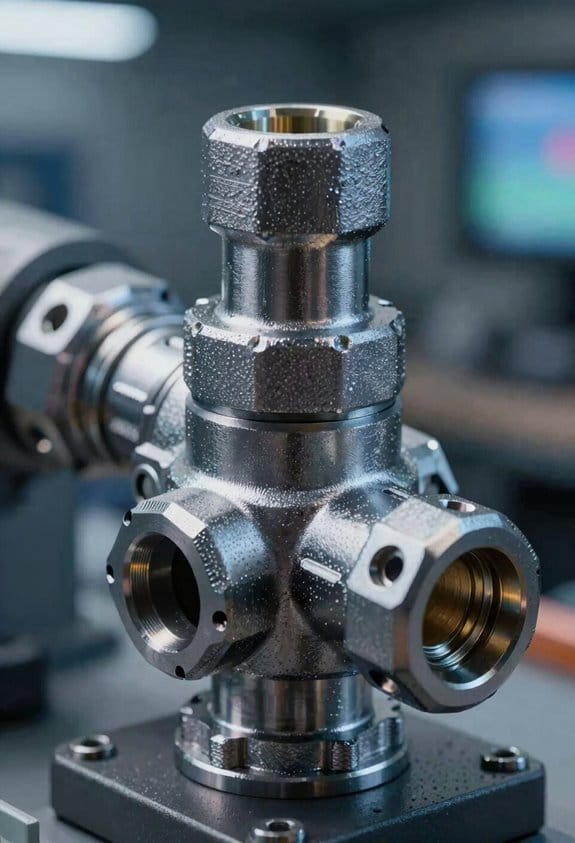
Here’s what actually happens when you train with AR guides, cloud labs, and simulations: you learn faster because you practice the exact tasks you’ll do on the job, safely and repeatedly.
Why this matters: practicing real procedures reduces mistakes on live equipment. I once watched a technician fix a hydraulic valve twice as fast after three AR sessions, and he didn’t strip any bolts.
1) How AR walkthroughs help you practice
Why this matters: AR overlays instructions on real equipment so you don’t guess at parts or settings.
Steps:
- Put on the AR headset and load the maintenance scenario (takes about 30 seconds).
- Follow step-by-step overlays that label components, show torque values, and mark safety zones.
- Use the built-in checklist and confirm each step by tapping the screen or voice command.
Example: a pump overhaul where the AR highlights the inlet flange, shows 40 Nm torque for the bolts, and flashes the bleed port when it’s time to vent—so you won’t miss the bleed step.
2) What cloud labs give you access to
Why this matters: cloud labs let you view virtual machines and instrument interfaces without touching production systems.
Steps:
- Log into the lab portal with your credentials (2-factor recommended).
- Start a virtual instrument session and pull the last 24 hours of logs (usually a 1–2 minute wait).
- Run diagnostics scripts and export the results as CSV for review.
Example: you can replay a furnace controller’s fault history in the cloud, step through PID loops, and test parameter changes safely while watching the response graph.
3) How simulation exercises build troubleshooting skill
Why this matters: simulations recreate faults and record your actions so you learn from mistakes.
Steps:
- Select a fault scenario (e.g., sensor drift, clogged strainer, or calibration error).
- Run the simulation while your actions are logged and timed.
- Review the recorded session with an instructor or your notes to see decision points and alternate fixes.
Example: a simulation that injects a slow sensor drift lets you practice diagnosing trending vs. sudden failure and shows how long each diagnostic step took.
4) How to combine these tools for the best retention
Why this matters: blending guided AR with timed simulations builds muscle memory and decision speed.
Steps:
- Start with an AR guided walkthrough to learn the correct procedure (1–3 repetitions).
- Move to a cloud lab to inspect logs and try safe parameter tweaks (30–60 minutes).
- Finish with a timed simulation that injects a related fault and forces you to respond under time pressure (10–20 minutes).
Example: practice a valve replacement in AR, verify control logic in the cloud, then troubleshoot a simulated flow imbalance under a 15-minute timer.
Quick tips you can use tomorrow
- Schedule short, focused sessions: 30–60 minutes works best.
- Track three metrics per session: time to complete, errors made, and steps missed.
- Rotate scenarios weekly: one mechanical, one control, one sensor fault.
If you follow this plan you’ll reduce downtime, increase safety, and get measurable improvement every week.
Mentorship and On-Demand Learning Programs for Sustained Upskilling
Think of mentorship like a safety net under your learning. It keeps you trying new tasks because you know someone will catch mistakes.
Why this matters: you learn faster and retain skills when you get quick, practical feedback. Example: a maintenance tech watches an online 7-minute module on vibration basics, then messages a mentor who replies with a 30-second video showing where to place the sensor on a pump.
How to set this up
Why this matters: clear steps stop programs from stalling.
- Recruit 6–8 mentors with 3+ years on the job and one day a week available.
- Create a roster and schedule 15-minute weekly office hours per mentor.
- Build 30–90 second microlearning modules for each task (e.g., “How to zero a pressure sensor” — 45 seconds).
- Pair each new learner with one mentor for the first 90 days.
- Track progress with five simple milestones: enrollment, first module, first coached task, independent task, 90-day review.
Real example: a factory matched 12 new hires with mentors, used five milestones, and cut onboarding time by 40%.
How to run live coaching with microlearning
Why this matters: short lessons plus quick coaching prevent overwhelm and keep practice regular.
- Schedule one 20-minute live coaching slot per week per shift.
- Use a 5-minute micro lesson before the slot that everyone completes.
- In the live slot, mentor demonstrates a single task, then watches one learner do it.
- Give the learner one checklist with 6 checkpoints to follow during the task.
Example: during an evening shift, a mentor shows sensor alignment for 8 minutes, then observes a technician align three sensors using a 6-item checklist.
How to make technical ideas stick
Why this matters: plain explanations and short exercises turn abstract concepts into usable skills.
- Explain the idea in one sentence, then give a one-minute demo.
- Assign a 5–10 minute hands-on exercise that repeats the demo.
- Use photos or a 30-second screencast to show the correct setup.
Real example: to teach predictive checks, you explain what a trend spike means in one sentence, show a 60-second graph walkthrough, then have the tech collect and label three sample readings.
How to measure progress and keep it tied to work
Why this matters: metrics and relevance make upskilling routine instead of optional.
- Use the five milestones from above as your baseline.
- Log each milestone in a simple spreadsheet or basic LMS within 48 hours.
- Require one applied task per month that maps to daily maintenance (e.g., replace seal, align motor).
Example: a team tracked milestone completion in Google Sheets and required one applied task per month; after three months, 85% of tasks were completed without mentor intervention.
How to adapt content to workplace needs
Why this matters: if lessons match daily problems, learners stay engaged.
- Run a 15-minute monthly feedback session with technicians to list the top three recurring faults.
- Convert those faults into a 60–90 second module and a one-page troubleshooting checklist.
- Update the mentor roster when new fault types appear.
Real example: shop floor technicians reported repeated belt slippage; the team made a 70-second module plus a 5-step checklist and reduced repeat calls by 30%.
Quick tips you can apply tomorrow
Why this matters: small changes create momentum.
- Start one micro lesson (45–90 seconds) this week on a single routine task.
- Set up one 15-minute mentor office hour next week.
- Pair one new hire with one mentor for 90 days.
Example: a supervisor recorded a 60-second lesson on filter changes in one afternoon and used it during the next shift, with immediate uptake.
You’ll get better results when you keep lessons short, pair learners with real people, and map every module to a daily task.
Measuring Maintenance Training Outcomes: Reliability, Safety, and Cost Savings
Think of measuring training like checking a machine’s dashboard: you want clear gauges that tell you if your people are making things run better.
Why this matters: you need proof training reduces breakdowns, injuries, and costs so you can justify time and budget. I link your learning activities to three specific outcomes: equipment reliability, workforce safety, and cost savings.
How to measure equipment reliability (why it matters: fewer failures mean more production):
- Track failure metrics. Measure mean time between failures (MTBF) and mean time to repair (MTTR) every month.
- Compare before-and-after training baselines over 90 days.
- Use a visual chart that shows MTBF rising and MTTR falling.
Example: on a packaging line, MTBF went from 120 to 210 hours after a focused training module on gearbox alignment — you can see the downtime blocks shrink on the weekly log.
How to measure workforce safety (why it matters: safer technicians lower risk and insurance costs):
- Record incident rates and near-miss reports weekly.
- Run observable competency checks with a 10-point checklist during routine tasks.
- Score each worker and flag anyone below 80% for a short refresher.
Example: at a plant, near-miss reports increased initially from 1 to 4 per month because people started reporting more, then real incidents dropped from 3 to 0 in six months after competency checks and coaching.
How to measure cost savings (why it matters: training should reduce parts spend and lost production):
- Calculate parts usage and downtime hours for 90 days before training and 90 days after.
- Multiply downtime hours by your machine’s hourly output value to get lost-production cost.
- Subtract post-training parts and downtime costs from baseline to get monthly savings.
Example: a CNC cell reduced spare-cutter purchases by 35% and cut downtime by 12 hours per month, saving roughly $9,600 monthly based on $800/hour output.
How to tie outcomes to individual actions (why it matters: you want to know who improved what):
- Use asset tags and maintenance logs to link each technician’s work orders to specific machines.
- Add a short field on each work order noting which training module the tech used.
- Run a monthly report that matches tech training to MTTR and parts usage per machine.
Example: an asset-tracking system showed Technician A’s MTTR on Pump #3 fell from 4 hours to 1.5 hours after completing the seal-replacement module.
Put it together: collect MTBF/MTTR, incident and near-miss rates plus competency scores, and before/after cost calculations; then run a monthly dashboard so you can present one clear number for reliability improvement, one for safety change, and one for dollars saved.
A final practical tip: start small. Pick one line, run the 90-day before/after comparison, and use that as a repeatable template for the rest of your sites.
Scaling Maintenance Training Programs Across Institutions and Workplaces
If you’ve ever worked at a place where a single training you liked never fit anywhere else, this is why.
Why it matters: you waste time and money if every site rebuilds the same training. Use cross-institution partnerships to share curricula, equipment, and trainer hours so you lower costs and spread what works.
1) Form partnerships (steps)
- Identify 3–5 nearby schools, community colleges, and shops willing to pilot a shared program.
- Sign a simple Memorandum of Understanding (1–2 pages) that splits equipment costs and trainer time (for example, 60/40 or per-seat billing).
- Schedule a rotating lab calendar so each partner hosts a monthly hands-on day.
Real-world example: A regional tech college partnered with two manufacturers, bought three diagnostic rigs together for $24,000, and saved each partner roughly $8,000 versus buying solo.
Why it matters: your learners and sites have different resources, so training must be adaptable. Create modular lesson units combining hands-on labs, cloud simulations, and AR demos so you can mix and match by site.
2) Build modular lessons (steps)
- Break each skill into 15–45 minute modules (for example: sensor basics — 30 minutes; predictive analytics intro — 45 minutes).
- For each module, make three delivery versions: hands-on lab, cloud simulation, and AR walk-through.
- Tag modules by resource need (low, medium, high) so a classroom picks modules that fit available tools.
Real-world example: A community college taught the same vibration-analysis module as a bench lab for one cohort, a browser simulation for remote learners, and an AR headset demo for an industry partner that had headsets.
Why it matters: you need consistent ways to measure competence tied to real outcomes so you know training works. Build clear assessment rubrics linked to reliability metrics and predictive-analytics tasks.
3) Assess and measure (steps)
- Define 3–5 performance metrics (for example: mean time between failures reduction, correct sensor-interpretation rate, and preventive schedule adherence).
- Create a rubric for each metric with a 1–4 scale and explicit evidence (data file interpretation, simulation score, lab task completion).
- Require a capstone where learners read a real sensor data set, flag three likely failure modes, and propose a 30/60/90-day upkeep schedule.
Real-world example: An industrial partner required interns to analyze a week of motor-current and vibration logs; interns who passed the rubric reduced unscheduled downtime by 12% during a six-month trial.
Why it matters: employers want people who can do the job from day one, not just pass tests. Strengthen industry-academia pipelines with internships and joint labs so learners get real practice and employers get ready hires.
4) Connect industry and schools (steps)
- Set a quota: aim for at least one 8–12 week paid internship per cohort per partner company.
- Create joint lab days where company technicians mentor students on live equipment twice per semester.
- Track hires: ask companies to report retention at 3 and 12 months to adjust training for gaps.
Real-world example: A joint lab program placed 18 interns across three firms; 14 were hired full-time within three months, and employers reported better familiarity with CMMS and sensors.
Quick operational tips you can use tomorrow
- Start with one module and one industry partner; don’t build everything at once.
- Price shared equipment by expected usage hours; that keeps billing fair.
- Require interns to deliver one failure-analysis report before their final week.
If you follow these steps, you’ll scale training that actually fits different learners and workplaces while cutting costs and producing job-ready technicians.
Frequently Asked Questions
How Do Privacy Concerns Affect Sensor Data Used in Maintenance Training?
Privacy risks limit sensor use in training, so I insist on Data anonymization and robust Consent frameworks; I’ll anonymize personally identifiable signals, obtain clear consent, and enforce access controls to protect trainees and comply with regulations.
Who Funds Long-Term Ar/Vr Hardware Upgrades for Institutions?
Industry grants and endowment funds often cover long-term AR/VR hardware upgrades for institutions. I’d pursue both, plus corporate partnerships, government grants, and alumni donations to guarantee sustained funding and phased replacement cycles.
Can Maintenance Culture Reduce Union-Management Conflicts?
Absolutely — I cheekily promise maintenance culture can mellow labor relations: I’ll say it nudges collaborative bargaining, builds trust through shared training and predictable upkeep, and defuses blame games that usually spark union-management clashes.
How Are Ethical Considerations Taught Alongside Ai-Driven Maintenance Decisions?
I teach ethical frameworks and bias auditing alongside AI-driven maintenance decisions through case studies, hands-on audits, and reflective debriefs, so you’ll spot unfair models, prioritize safety, document choices, and follow clear accountability and escalation protocols.
What Accreditation Exists for Digital Maintenance Competency Credentials?
Think of credentials as a roadmap: I say ISO certifications and vendor badges like Siemens or Rockwell guide digital maintenance competency, plus vendor training certificates, industry certificates (SMRP), and accredited university microcredentials ensuring verifiable skills.