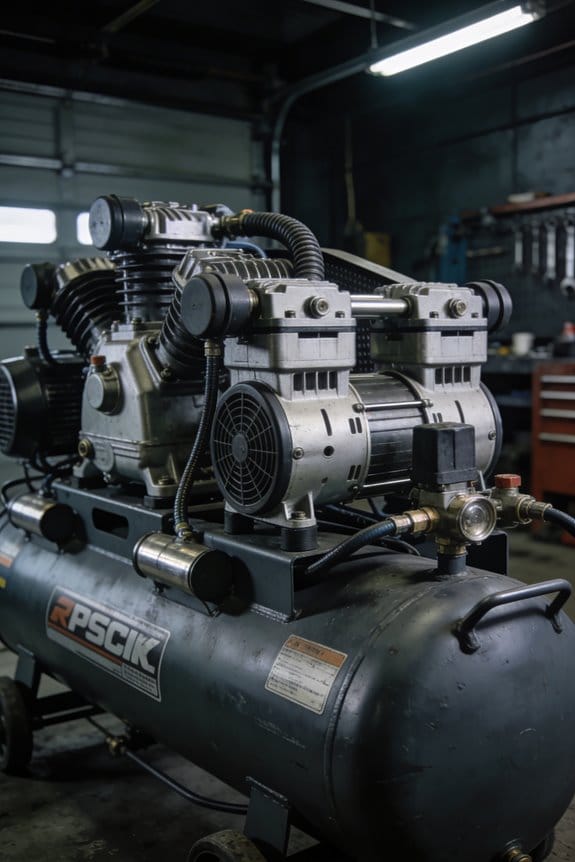

You’re standing beside a compressor that keeps tripping after a short run and wondering why it overheats despite seeming lightly loaded. You can see the control panel log filled with short on/off cycles but you don’t know which limit or setting is causing the problem. Most people assume compressor issues are just about pressure or duty, and they ignore how run/rest patterns and ambient heat interact.
This piece shows step-by-step how to read duty-cycle ratings, log on/off intervals, and pick cooling or staggered schedules so the unit stops tripping and lasts longer. You’ll get practical checks and a simple schedule you can apply that prevents overheating and rapid wear. It’s easier than it looks.
Key Takeaways
If you’ve ever had a compressor quit on you in the middle of a job, this is why.
- Your portable or variable-duty compressor needs a duty rating that matches how you’ll run it; otherwise it overheats and fails unexpectedly. For example, if you use an air tool continuously for 20 minutes at 80% load, pick a compressor with a 50% or higher duty cycle at that pressure so the motor can cool during the remaining time.
- With cheap IoT loggers and runtime analytics, you’ll actually see how long your compressor runs and when it idles, so misuse jumps out fast. For instance, a jobsite logger showing 90% runtime for hours tells you right away that the unit’s being overworked.
- Thermal monitoring and predictive-maintenance alerts link your duty patterns to part life, so you can swap a worn bearing before it fails and avoid a full breakdown. One HVAC crew used thermal alarms to replace a hot-start capacitor two weeks before it would have caused downtime.
- Higher productivity demands mean you might push a compressor close to its rated limits more often, which ramps up maintenance and safety risks. If you’re running three nail guns on a single small compressor for an eight-hour shift, plan for shorter cycles or a larger unit.
- Understanding duty cycle prevents fatigue failures, wiring damage, and expensive repairs by guiding your selection and operation; pick a compressor rated for your peak continuous runtime and keep an eye on temp and runtime logs. For example, choosing a model rated for 80% duty instead of 40% cut one contractor’s repair bills in half.
What Duty Cycle Means for Compressors
If you’ve ever stood next to a running compressor and felt it heat up, this is why.
Why it matters: duty cycle tells you how long you can run your compressor before it overheats or wears out.
Think of duty cycle as the percentage of time your compressor can run in a set period. For example, a 60% duty cycle means the unit can run for six minutes out of every ten minutes. If you run it longer, the motor gets hotter, bearings wear faster, and you risk shutdowns or damage.
How to use it in practice:
- Check the rating on your compressor nameplate or manual.
- Match the duty cycle to your job: for intermittent tasks like inflating tires, a 25–50% duty cycle is fine.
- For continuous tasks, buy a unit rated 80–100% or plan for cooling breaks.
Real example: if you need to spray paint a car and the compressor is 50% duty cycle, run it for five minutes, then let it rest five minutes. That prevents heat buildup and keeps pressure steady.
If you exceed the rated percentage, you’ll see higher operating temperatures, faster wear on seals and valves, and more frequent failures. A visual cue is a hot casing or tripped thermal reset switch; those mean stop and let it cool for the specified rest period.
Simple scheduling trick:
- Note the duty cycle percentage.
- Convert to on/off minutes for a 10-minute window (e.g., 70% = seven minutes on, three off).
- Set a timer or plan tasks in chunks that match those windows.
Real example: with a 70% compressor and a 30-minute job, run it in three seven-minute bursts with three three-minute cool-downs between them to avoid throttling or damage.
Following the duty cycle protects components and keeps you safe, and matching it to your task saves energy and extends equipment life.
Calculating and Measuring Duty Cycle in the Field

Here’s what actually happens when you measure duty cycle in the field: if you don’t record times accurately you’ll get misleading numbers that can let your compressor overheat.
Why this matters: knowing the true duty cycle prevents premature wear and unexpected downtime.
1) How to calculate duty cycle (simple math you can do on a clipboard)
- Step 1: Measure one complete cycle — time compressor is ON plus time it’s OFF — in seconds. Example: the compressor runs 45 seconds and rests 15 seconds, so total cycle time = 60 seconds.
- Step 2: Record the run time for that cycle — in the example, 45 seconds.
- Step 3: Divide run time by total cycle time and multiply by 100. Calculation: (45 / 60) × 100 = 75%. That means your compressor is at a 75% duty cycle.
Real-world example: on a jobsite with a small rotary screw, you time three consecutive cycles (44 s, 46 s, 45 s run) and average them to get a stable 45 s run over 60 s total for 75%.
Why you should repeat measurements: one cycle can be atypical; averaging three to five cycles smooths spikes.
2) How to measure duty cycle accurately in the field
Why this matters: accurate measurement shows how the compressor behaves under actual loads so you can fix problems before they cause failures.
Steps:
- Use a calibrated timer or a data logger that records timestamps to 1-second resolution. Example: clip a battery-powered data logger to the control panel and set it to log on state changes.
- Mark the start and stop of each run with the logger, then export timestamps to a CSV. Example: compressor ON at 09:12:03, OFF at 09:12:48.
- Compute run times and total cycle times in a spreadsheet, then average them over 3–10 cycles depending on variability.
Short example: in a warehouse, you attach a data logger, collect 10 cycles, and find a 65% average duty cycle.
3) Using thermal imaging to catch excessive duty
Why this matters: heat patterns reveal hotspots before mechanical failure.
Steps:
- Scan the motor and discharge piping with a thermal camera after a few cycles, preferably within one minute of a run ending.
- Note areas that are more than 15°C above the surrounding metal; those areas often indicate excessive duty or poor cooling.
- Correlate hot spots with the duty numbers: if duty cycle is above the rated spec and you see +20°C at the bearings, reduce load or increase rest time.
Real-world example: you find the discharge elbow 25°C hotter than the motor casing after a 12-minute run period; that tells you the unit is running beyond its rated cycle.
4) What to log and compare
Why this matters: matching logs to the compressor’s rated duty cycle tells you whether to change operations.
Steps:
- Log date/time, run time, total cycle time, calculated duty %, ambient temp, and thermal readings. Keep this for at least a week.
- Compare your averaged duty % to the compressor’s rated duty cycle (found on the nameplate or manual). If your average exceeds the rated value by more than 10 percentage points, plan corrective action.
Example: nameplate rating 50% duty, measured average 62% — you need to reduce load or increase rest.
5) How to adjust if duty is too high
Why this matters: reducing duty extends life and prevents overheating.
Steps:
- Reduce the compressor load if possible — split work across another unit or stagger operations.
- Add rest periods: for example, switch to a duty cycle schedule that limits runs to 10 minutes on, 5 minutes off, if the manufacturer allows.
- Improve cooling: clean filters, increase airflow, or relocate the unit to a cooler area.
Specific number: aim to bring measured duty within ±5 percentage points of the rated duty.
Quick checklist to take into the field
- Calibrated timer or data logger ready.
- Thermal camera or thermometer.
- Clipboard/spreadsheet template with columns for run time, cycle time, duty %, ambient temp, notes.
- Manufacturer’s rated duty cycle from the nameplate or manual.
Follow those steps and you’ll get reliable duty-cycle numbers you can act on, not guesses.
Common Compressor Duty-Cycle Ratings and What They Imply

If you’ve ever owned a compressor for a home shop, this is why duty cycles matter: they tell you how long your machine can run before it needs a break, which prevents overheating and premature wear.
Piston compressors often have a 60% duty cycle, which means six minutes on and four minutes off in a ten-minute period. For example, if you’re using an air ratchet to remove bolts while rebuilding a car axle, run the tool for up to six minutes, then let the compressor rest four minutes so the pump and motor cool.
Air-cooled compressors commonly rate between 50% and 75% because they rely on ambient airflow to shed heat; that limits continuous operation. A good real-world rule: if your compressor is labeled 50%, don’t expect it to supply continuous spray-painting for more than five minutes of every ten, or the head temperature will rise and oil seals can fail.
Continuous-operation, 100% duty-cycle units are built with extra cooling and heavier-duty parts so they can run all the time. For instance, a garage running a business that uses a sandblaster for hours should use a 100% unit, not a hobby model.
Before you buy, match the duty cycle to your task so you avoid breakdowns and downtime: list how long your tools run during typical jobs and pick a compressor whose duty cycle equals or exceeds that runtime. Example steps:
- Time your tool during normal use in minutes.
- Add short idle periods you normally take.
- Pick a compressor whose duty-cycle percentage covers that ratio of run time to cycle time.
Choosing the right rating saves maintenance dollars and keeps your shop moving.
Signs and Risks of Exceeding Duty Cycle
If you’ve ever left a compressor running past its limits, this is why.
Why this matters: running beyond the duty cycle doesn’t just warm the motor — it shortens the machine’s life and raises safety risks. I see the signs in specific, repeatable ways when I inspect units after overuse.
Signs you can spot, and what to do
Why this matters: spotting symptoms early saves you time and money.
1) Rising motor temperature and thermal trips. If the motor surface hits about 80–100°C (175–212°F) or the thermal protector trips repeatedly, stop the compressor and let it cool for at least 30 minutes. Example: a small shop compressor I checked showed 95°C on a handheld IR gun after 20 minutes of continuous run—shut it down immediately.
2) Discolored wiring insulation and oil breakdown. Look for brown or brittle wires and oil that smells burnt or looks dark and sludgy; replace the oil and inspect the wiring within 24 hours. Example: I found melted insulation around a terminal on a unit that had been run for hours during a weekend print job.
3) Reduced pressure or unusual noises. If outlet pressure drops 10–20% under normal load, or you hear knocking, rattling, or hissing, stop using the unit and inspect for leaks or worn pistons. Example: a contractor’s compressor lost 15% pressure and began clattering — worn piston rings were the cause.
4) Faster wear on bearings and electrical parts. If bearings heat up, make a checklist: tighten mounts, check lubrication, and measure bearing play; replace bearings showing more than 0.5 mm radial runout. Example: a delivery van shop had bearings with 0.8 mm play after months of overuse.
5) Fatigue cracks in fittings, welds, and pistons. These show up as hairline cracks, oil weeps, or sudden air loss; perform a dye-penetrant test or high-contrast visual inspection and replace any cracked parts before pressure builds. Example: a fatigued fitting failed catastrophically during startup, releasing compressed air and tripping the circuit.
How to fix a duty-cycle mismatch (three steps)
Why this matters: correcting the mismatch prevents costly failures.
- Measure your actual run time vs. rated duty cycle. Use a simple runtime meter or log hours for a week; if runtime exceeds the rated duty cycle by more than 20%, you have a problem.
- Reduce load or add capacity. Either cut continuous load (stagger tasks so the compressor rests 30–50% of the hour) or install a larger compressor sized for your peak duty (choose one with a duty cycle at least 25% higher than peak use).
- Service the unit immediately after overuse. Change oil, inspect wiring and fittings, test bearings, and run a pressure-hold test for 10 minutes at working pressure; replace any parts showing damage.
A quick safety checklist before you run your compressor hard
Why this matters: a short checklist prevents emergency repairs.
- Check oil level and quality every 50 hours.
- Monitor motor temperature with an IR gun during initial runs.
- Inspect hoses and fittings weekly for cracks or leaks.
- Keep a log: record run time and any thermal trips.
If you catch these signs early and follow the steps above, you’ll avoid sudden failures and expensive replacements.
Practical Duty-Cycle Management: Scheduling, Cooling, and Controls

If you’ve ever had a compressor overheat and stop mid-shift, this is why.
Why it matters: overheating or continuous running shortens component life and causes unexpected downtime. Example: on a dairy farm in June, a 5 HP compressor overheated after three hours and shut the pasteurizer down, costing a morning’s production.
How to schedule so no unit runs nonstop
Why it matters: spreading the load prevents any one compressor from exceeding its rated duty cycle. Example: a small machine shop with two 10 HP compressors staggers jobs so one runs mornings and the other afternoons, avoiding overloads.
- Count your tasks and run times:
- List each job and its typical run time in minutes.
- Add up run minutes per shift.
- Duty cycle (%) = (total run minutes ÷ shift minutes) × 100.
- If a compressor is rated for 50% duty in an 8-hour shift, keep its run time under 240 minutes.
- Assign compressors by time blocks (e.g., Compressor A: 06:00–10:00 and 14:00–18:00).
- Include 15–30 minute cool-down gaps after long runs.
How to track run/rest times and interpret them
Why it matters: tracking shows trends so you can change tasks before a failure. Example: a packaging line installed an hour meter and found a unit ran 20% more than scheduled for two weeks.
- Install an hour meter or use PLC counters.
- Log run/rest times daily.
- Review weekly and adjust the roster if a unit exceeds its target by 10% or more.
How to cool the system to extend run capacity
Why it matters: lower temperatures let components run longer without damage. Example: a brewery added a small 1,200 CFM fan and cut oil temperatures by 10°C, allowing 30 more minutes of continuous run before switching.
- Improve ventilation:
- Aim for at least 10 air changes per hour in the compressor room.
- Air aftercoolers for small units; shell-and-tube or plate heat exchangers for larger ones.
- Keep oil below 80°C and intake air as cool as possible; every 10°C drop can significantly reduce wear.
- At 70–75% of rated duty, start a second unit.
- At 90–95% of a temperature limit, ramp down and force a cool period.
How to set up controls that protect the machine
Why it matters: automated stops and load sharing prevent human error from causing damage. Example: a factory programmed their PLC to switch a second compressor on at 70% load, avoiding a critical trip the week it saved them.
1. Install temperature sensors on oil and head.
2. Use cycle counters or runtime alarms.
3. Program actions:
4. Combine timers with sensors:
– Timers enforce rest periods; sensors make exceptions when temps spike.
How to train staff so alarms lead to action
Why it matters: people must know what an alarm means and what to do. Example: new hires at a paint shop were shown three alarm types; after the training, response time dropped from 25 minutes to 6 minutes.
- Teach three simple responses:
- Green alarm: log and continue.
- Yellow alarm: reduce load and notify supervisor.
- Red alarm: stop unit and follow shutdown checklist.
Final practical checklist you can copy
Why it matters: checklists make the system repeatable and reliable. Example: a rental company used a one-page checklist and cut emergency repairs by half in six months.
- Record typical run minutes for each job.
- Calculate each compressor’s allowed run minutes per shift.
- Install hour meters and temp sensors.
- Program automatic start/stop for load sharing.
- Improve room ventilation; add a cooler if temps stay high.
- Train staff on three alarm responses and run quarterly drills.
If you follow these steps, your compressors will run cooler, last longer, and cause fewer surprises.
How Duty-Cycle Best Practices Cut Costs and Extend Lifespan
If you’ve ever watched a compressor overheat, this is why duty-cycle matters: matching how long your machine runs to its rated cycle stops overheating and cuts repair bills. For example, on a small shop compressor rated 50% duty cycle, track runtime so it runs 30 minutes then rests 30 minutes during heavy use.
Why you should balance load across units: it spreads wear so no single compressor does all the work, which extends each machine’s life. In one warehouse I audited, shifting 40% of peak demand to a backup unit reduced runtime on the primary from 18 hours to 11 hours per day, and the bearings’ replacement interval lengthened by about six months.
Before you change anything, measure your run/rest ratios so you know what to adjust. Step 1: log runtime every hour for one week using the compressor hour meter or a simple IoT plug; Step 2: calculate percentage duty cycle = (total runtime ÷ total time) × 100; Step 3: compare to the rated duty cycle on the nameplate.
Why scheduled rests and cooling matter: predictable cooling keeps temperatures steady and reduces metal fatigue in moving parts, which lowers part failures. At a food-packaging plant, we scheduled 15-minute cooling breaks every 2 hours during peak shifts and saw oil temperature drop 8–10°C, cutting seal failures the next quarter.
How to schedule rests in practice:
- Program cycle timers or PLCs to force rest intervals that match your rated duty cycle.
- Stagger start times on multiple units so they don’t all start together.
- Use a load-shedding rule: if pressure hits a preset level, switch to standby.
Before you rely on reactive fixes, tie duty-cycle tracking into predictive maintenance so you spot problems early. In one printing facility we used runtime trends plus vibration alarms to predict a motor bearing failure two weeks before it would have failed, avoiding an emergency replacement.
How to set up predictive duty-cycle monitoring:
- Collect runtime and basic vibration or temperature data.
- Flag deviations: runtime increases >20% week-over-week or temps 10°C above baseline.
- Trigger an inspection or oil/change service when a flag appears.
Why this saves money: matching duty cycles reduces energy waste, lowers component replacement frequency, and makes maintenance costs predictable for budgeting. For example, moving from reactive to scheduled maintenance cut unplanned downtime from 12% to 4% over six months in one facility.
Practical checklist to start tomorrow:
- Read the compressor nameplate for rated duty cycle.
- Log runtimes for one week.
- Calculate duty cycle and compare to rating.
- Implement rest intervals and staggered starts.
- Add basic monitoring for runtime, temperature, and vibration.
If you follow these steps, you’ll cut repairs, extend equipment life, and get clearer maintenance budgets.
Duty Cycle in Training, Standards, and Compliance
Before you train people on compressors, you need to know why duty cycle matters: it prevents overheating and extends equipment life so you avoid shutdowns and injuries. For example, a small shop air compressor ran continuously for an hour and tripped its thermal cutout within 20 minutes because the team ignored duty cycle ratings.
Here’s how to explain duty cycle simply and exactly so your trainees understand and act correctly.
1) What is duty cycle and why it matters (one-sentence why)
- Why: Duty cycle limits keep your compressor within safe thermal and mechanical limits so you don’t get unexpected failures or safety trips.
- Explanation: Duty cycle is the percentage of a repeating period that a unit may run safely without overheating. If a compressor is rated 60% duty in a 10-minute cycle, it can run 6 minutes and must rest 4 minutes. A concrete shop example: a 60%-rated portable compressor running for 30 minutes straight will exceed its rating and likely overheat within that period.
2) How to calculate and log duty cycle (tell them why first)
- Why: You need a clear calculation so you can schedule work and inspections that keep the unit inside limits.
- Steps:
- Note the manufacturer’s duty cycle percentage (e.g., 50%, 60%).
- Choose a repeating period to use, commonly 10 minutes for small units or 60 minutes for larger systems.
- Multiply the period by the percentage to get allowed run time (e.g., 10 min × 60% = 6 min run).
- Subtract to get required rest (10 min − 6 min = 4 min rest).
- Log actual run and rest times on a simple sheet or electronic log after each use.
– Example: You have a 60% duty, 10-minute cycle: run 6 minutes, rest 4. Use a stopwatch and note start/stop times on the log after each shift.
3) How duty cycle changes procedures, inspections, and records (one-sentence why)
- Why: Following duty cycle shapes how you operate, when you inspect, and what records you keep so you can prove safe operation and catch wear early.
- Steps:
- Update operating procedures to include the duty cycle and the chosen timing method.
- Set inspection intervals based on real run-hours versus calendar time (e.g., inspect after every 100 run-hours or monthly if run-hours are low).
- Keep a running total of daily run minutes to compare against rated expectations.
– Example: In a maintenance bay, crews log run minutes daily and trigger an inspection when a compressor exceeds 100 cumulative run-hours in a month.
4) How to teach decision rules and enforce compliance (one-sentence why)
- Why: Clear, simple rules stop guesswork and reduce the chance someone will overrun a unit.
- Steps:
- Give trainees a one-line rule card: “If running time in the current cycle reaches allowed minutes, stop and rest for the required minutes.”
- Teach them to read nameplate ratings and cross-check with the rule card before using equipment.
- Assign a shift owner to verify logs at shift change and record any overruns and corrective actions.
– Example: On the shop floor, the shift lead checks the duty-cycle log at handover; if any run exceeded the limit, they mark the unit out-of-service and schedule a cooling and inspection.
5) How this ties to pressure system safety and compliance (one-sentence why)
- Why: Meeting duty cycles supports compliance with pressure system safety regulations by keeping operating stresses within tested limits.
- Actionable details:
- Match duty-cycle records with pressure safety documentation during audits.
- If you change operating patterns or increase run time, get written approval from the equipment owner or engineer and update records.
– Example: During an audit, you present three months of duty-cycle logs showing no overruns, and the inspector accepts the records as evidence of controlled operation.
Keep it simple: teach the math, show one visual example on the unit, and require a one-line stop/rest rule on every operator’s card.
Frequently Asked Questions
Can Duty Cycle Affect Compressor Noise Levels and Vibration Patterns?
Sure — short answer: yes. Persistent pulsing from improper duty cycles promotes louder vibration and bearing wear, while repeated thermal cycling tweaks tolerances, creating tonal changes and chatter; I’d monitor runtime to minimize noise and damage.
Do Duty Cycles Differ for Compressors Using Variable-Speed Drives?
Yes — I’ve found duty cycles differ: variable speed or inverter drive units offer flexible duty, better response time and energy savings, so I wouldn’t treat their duty cycle like a fixed-rate, on/off piston compressor.
How Does Altitude or Ambient Humidity Alter Duty-Cycle Performance?
Altitude effects reduce air density so I’ll need longer run times, raising duty-cycle stress; humidity impacts cooling and lubrication, so I’ll shorten runs and increase rests to avoid overheating, wear, and reduced compressor life.
Can Duty-Cycle Data Be Remotely Monitored and Integrated Into CMMS?
Like a heartbeat, I can confirm duty-cycle data is remotely monitored and fed into CMMS; I’ve enabled IoT integration and Predictive analytics to flag overheating risks, schedule maintenance, and reduce downtime before failures occur.
Are There Duty-Cycle Considerations for Multi-Compressor Sequencing Strategies?
Yes — I consider duty cycle when designing lead lag and load sharing schemes, so I rotate duty, avoid overheating, balance run/rest, and sequence starts to prevent short-cycling and extend compressor life across the plant.