
You’re standing in a small bakery staring at a ruined batch of dough and asking, “How did the oven overheat without anyone knowing?”
Or you’re in a corner flower shop wondering why refrigerated deliveries spoil overnight.
Most people assume IoT is only for big factories with giant budgets and complex teams. This piece shows how inexpensive radios, modular sensors, and simple gateways let a three‑to‑five device pilot prevent spoilage, trim energy use, and speed fault fixes.
I’ll walk you through the exact components to buy, how to set conservative alerts, and how to assign one owner. It’s easier than it looks.
Key Takeaways
Here’s what actually happens when you bring IoT into a small business: the tools are cheaper, simpler, and ready for short pilots.
- Why this matters: you can start saving time and money without a big capital outlay. Example: a bakery in Portland put three temperature sensors and a LoRaWAN gateway in its walk-in fridge and cut spoilage by 30% in two months.
- Lower-cost sensors, gateways, and cloud services make IoT affordable for small businesses previously priced out of factory-scale solutions.
- How to start: buy sensors that cost $30–$120 each, choose a gateway around $200–$400, and use cloud plans under $20/month for basic telemetry.
- Example: a landscaping company bought four $45 soil-moisture sensors and a $250 gateway, saving on water bills within six weeks.
If you’ve ever struggled with battery life on wireless devices, this is why LPWAN matters.
- Why this matters: you won’t replace batteries every week. Example: a small vineyard used LoRaWAN sensors with AA batteries and ran one season (9 months) without swapping cells.
- Low-power wide-area networks (LoRaWAN, Zigbee) enable multi-year battery operation and long-range coverage suited to small sites.
- How to use it: pick LoRaWAN for >1 km outdoor range and multi-year battery life, choose Zigbee for mesh indoors and shorter hops under 100 m.
- Step 1: map distances. Step 2: pick network. Step 3: test a sensor at the farthest point for 48 hours.
Before you automate rules, know why edge processing helps.
- Why this matters: you reduce cloud bills and act faster. Example: a small cold-storage locker uses an edge gateway to shut compressors on within one second of a fault, avoiding product loss.
- Edge gateways and local rules reduce cloud costs, latency, and bandwidth, making real-time automation practical for small operations.
- How to implement: install an edge gateway ($200–$500), define 3–5 local rules (temperature thresholds, door-open alerts, pump cycles), and log only exceptions to the cloud.
You don’t need a big IT team to integrate devices into daily work.
- Why this matters: simple setups get you ROI quickly. Example: a small print shop exported CSV temperature logs to Excel and spotted a weekday pattern that let them reschedule cooling, saving $60/month.
- Simple integrations (CSV, MQTT, HTTP) and pilots let small teams validate ROI quickly without large IT projects.
- Steps to validate:
- Collect two weeks of data via CSV or MQTT.
- Plot the metric in a spreadsheet.
- Calculate monthly savings from observed improvements.
Think of maintenance like a regular appliance check.
- Why this matters: good practices keep risk low and systems reliable. Example: a community gym isolates devices on a VLAN and updates firmware quarterly, avoiding a ransomware incident.
- Clear maintenance practices, VLAN isolation, and periodic firmware updates reduce risk and operational overhead for small deployments.
- How to set it up:
- Put IoT devices on a separate VLAN.
- Schedule firmware checks every 90 days.
- Keep a one-page log of device locations and last update dates.
Quick Verdict: Is IoT Right for My Small Operation?
Here’s what actually happens when you add IoT to a small operation: your costs, complexity, and benefits scale with the number of devices you deploy.
I start with scale because it directly affects cost and setup time. If you plan fewer than 20 sensors, choose low-power options like LoRaWAN or Zigbee to keep battery life at 2–5 years and avoid frequent maintenance; a farm that uses 12 soil-moisture sensors and a LoRa gateway can run for years on AA batteries. Check device range: LoRaWAN often covers several kilometers in open areas, while Wi‑Fi devices might need repeaters every 30–50 meters indoors.
Why this matters: wrong scale choice blows your budget fast. Example: a bakery added 25 Wi‑Fi temperature sensors and then had doubled power and network troubleshooting costs.
Next, ask what problem you want IoT to solve. Real-time monitoring matters when delays cost you money: prevent spoilage, reduce downtime, or automate routine checks. If a single freezer failing costs you $1,000 in lost stock, a $200 sensor that sends an alert pays back in two incidents. List your top three use cases and rank them by monthly dollar impact.
Why this matters: unclear use cases create useless data. Example: a small winery used sensors for humidity and found one dryer rack causing 15% higher spoilage in the first month.
Integration with your current systems decides how smooth the rollout will be. If you use a simple spreadsheet or Google Sheets, pick devices that push CSVs or have Zapier integrations. If you use a management app, confirm the vendor supports MQTT or HTTP APIs. 3 steps to check compatibility:
- Identify the system that must receive data.
- Ask vendors for API or export formats.
- Test with one device for 7–14 days.
Why this matters: mismatched formats force manual work. Example: a landscaping company saved 10 hours per week after switching to sensors that exported directly to their CRM.
You have to protect data because connected devices can leak sensitive info and invite attacks. Secure configs matter most: change default passwords, enable encryption, and schedule firmware updates monthly or quarterly. Use a separate VLAN for IoT devices on your router so your POS or payroll stays isolated.
Why this matters: a single unsecured camera can expose your network. Example: a small café separated its kitchen IoT and stopped a malware spread that would have shut orders down.
Train your staff because devices fail and people must respond. Tell your team what normal looks like, who to call for support, and how to reboot devices. 3 steps for training:
- Hold a one-hour demo with hands-on device checks.
- Give a one-page cheat sheet with contact and restart steps.
- Run a quarterly 20-minute refresher.
Why this matters: untrained staff ignore alerts or overreact. Example: a flower shop prevented lost deliveries after staff learned to reboot sensors and read basic alerts.
Bottom line: IoT can save you time and money if you match device scale, pick clear use cases, ensure integration, lock down security, and train staff. Start small—one pilot with 3–5 devices for 30 days—and measure saved hours or avoided losses in dollars.
Why IoT Cuts Costs and Boosts Efficiency for SMEs
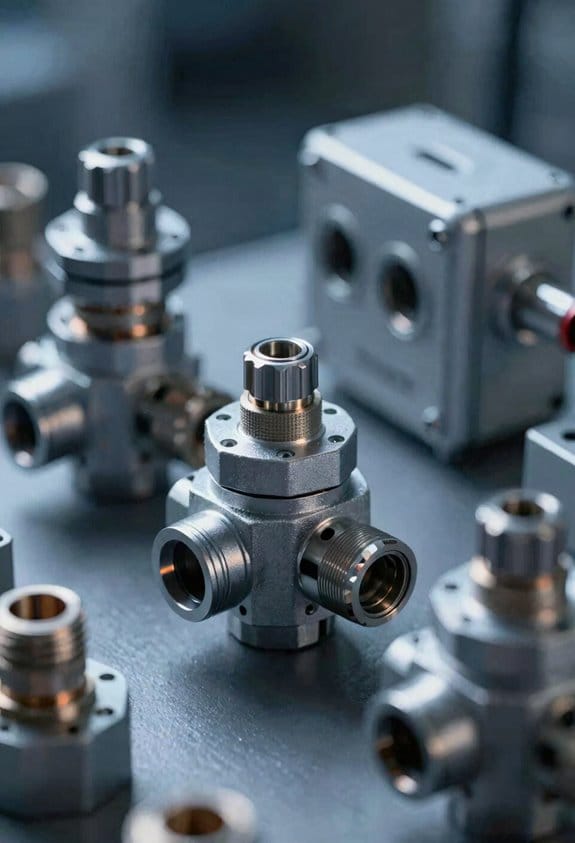
Here’s what actually happens when you add IoT to small business operations: it turns guesses into data you can act on, which cuts waste, prevents downtime, and frees staff for higher-value work. Why that matters: measurable savings let you reallocate budget toward growth instead of firefighting. For example, a bakery I know fitted energy monitors to ovens and chillers; within a month they found ovens left on overnight and cut energy use 12% by scheduling automatic shutdowns.
How do you spot and stop wasted energy? Start by measuring it. Why that matters: you can’t fix what you don’t measure.
- Pick one circuit or piece of equipment, like HVAC or kitchen ovens.
- Install a plug-level energy monitor or a smart HVAC controller—these cost about $50–$250 each.
- Run it for two weeks, then compare peak and off-peak use in kilowatt-hours.
- Create a rule: if usage > X kWh between 10pm–6am, turn the device off or notify staff.
A local café used this: a $120 monitor plus a rule saved them $90 a month on electric bills.
How do sensors prevent downtime? Put simple alerts on critical gear. Why that matters: minor faults fixed fast avoid production stops.
- Identify one critical machine—say, a conveyor motor.
- Fit a vibration or temperature sensor ($30–$150).
- Set thresholds and a notification channel (SMS or Slack).
- Log alerts and action taken.
A small furniture shop added a temperature sensor to a kiln; an alert about rising temps prevented a batch loss worth $2,000.
How does automation free staff for better work? Automate manual handoffs so people do fewer repetitive tasks. Why that matters: saved hours equal either lower overtime or more time for sales.
- Map a single workflow step that’s repetitive—like logging incoming deliveries.
- Add a barcode scanner or weight sensor and connect it to your checklist app.
- Push a notification when a delivery arrives and auto-populate the form.
- Track time saved for two weeks.
A neighborhood grocer cut inventory logging time from 30 minutes per shift to 7 minutes with a barcode trigger.
Practical rollout: start small and measure. Why that matters: incremental wins build trust and justify spend.
- Define one clear problem and a success metric (kWh saved, downtime hours avoided, minutes saved per task).
- Choose one sensor and one simple automation rule.
- Run a 30–60 day pilot and record baseline vs. results.
- Scale only after the pilot shows a real return on investment.
Do this and you’ll avoid heavy IT projects and get steady cost reductions instead of one big gamble.
Scalable IoT Architectures for Small Sites and Budgets
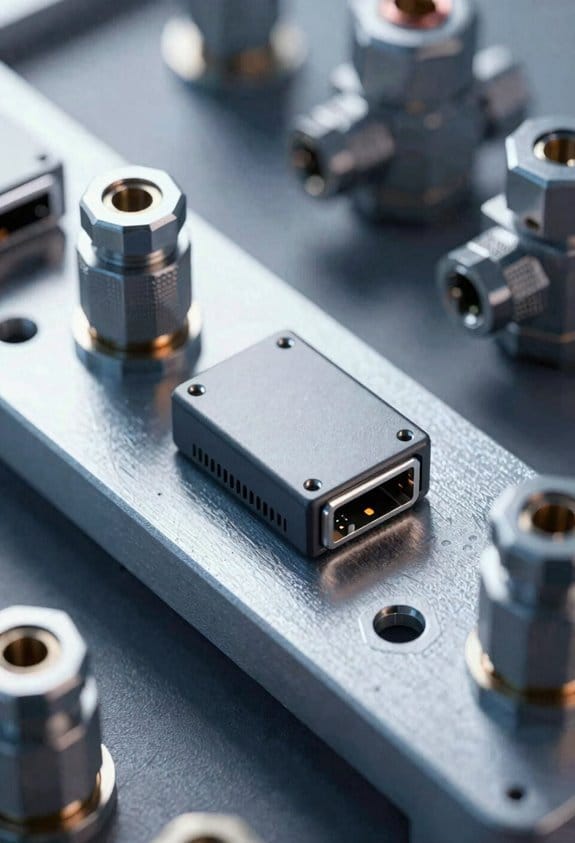
Here’s what actually happens when you try to grow a single sensor into a small site IoT system: you either swamp your network or your wallet if you don’t plan for local processing.
Why this matters: local preprocessing cuts your cloud bills and avoids network congestion.
1) Start with an Edge Gateway that does local collection and preprocessing.
- Example: use a Raspberry Pi 4 or an industrial gateway (e.g., Moxa or Advantech) to aggregate 10–50 sensors at a small site.
- Step 1: connect sensors via RS485, Ethernet, or BLE to the gateway.
- Step 2: run a lightweight MQTT broker and a simple rule engine (Node-RED) on the gateway to filter and compress data before sending.
- Tip: keep raw high-frequency streams local and only forward 1–5 summary messages per minute per sensor.
Why this matters: modular hardware saves you money over time.
2) Choose gateways with Modular Stacking so you can add I/O, radios, or compute modules.
- Example: pick a gateway chassis that accepts additional 4–8 I/O modules and a cellular modem card when you need it.
- Step 1: buy a base gateway that covers 50% of your immediate needs.
- Step 2: reserve one slot per likely expansion (extra I/O, LoRa, LTE) so you add instead of replace.
- Final detail: expect module costs of $50–$300 each depending on function.
Why this matters: clear aggregation points reduce contention and troubleshooting time.
3) Design for aggregation and group sensors logically.
- Example: group temperature and humidity sensors by room or zone, not by sensor type, so one gateway handles one zone of ~10–20 endpoints.
- Step 1: map your site into zones of 100–500 m2 or up to 20 sensors.
- Step 2: wire each zone to a single gateway or I/O module.
- Result: fewer collisions and easier fault isolation.
Why this matters: local rules keep noisy data from overwhelming storage and alerts.
4) Use local rules to filter noise and send summaries.
- Example: on your gateway, implement rules like “report temperature if delta >0.5°C or every 15 minutes” and “send max/min hourly for power meters.”
- Step 1: implement threshold and rate rules in your gateway rule engine.
- Step 2: aggregate to 1-minute, 5-minute, or hourly summaries before forwarding.
- Outcome: you reduce bandwidth by 80–95% for typical sensors.
Why this matters: incremental security protects devices without huge upfront cost.
5) Plan progressive security: device identity and encrypted links.
- Example: assign each device a unique certificate or pre-shared key, and use TLS for gateway-to-cloud links.
- Step 1: provision device identities during installation (X.509 or unique PSK).
- Step 2: enable TLS/DTLS for all external connections and VLANs for network segmentation.
- Cost: certificate provisioning tools often add $2–$10 per device.
Why this matters: maintenance budgets determine whether the system stays healthy.
6) Budget for maintenance, remote monitoring, and predictable expansion.
- Example: plan for 15% of initial hardware cost per year for spare parts, firmware updates, and cloud fees.
- Step 1: include remote monitoring (health heartbeats every 5–15 minutes).
- Step 2: keep an inventory of spare modules and a documented expansion path (which slot gets a modem next).
- Tip: schedule quarterly checks and one major review every 12 months.
Follow these specific, small-site steps and you’ll scale your IoT setup without blowing the network or your budget.
Best Low‑Power IoT Networks and Devices for Small Sites
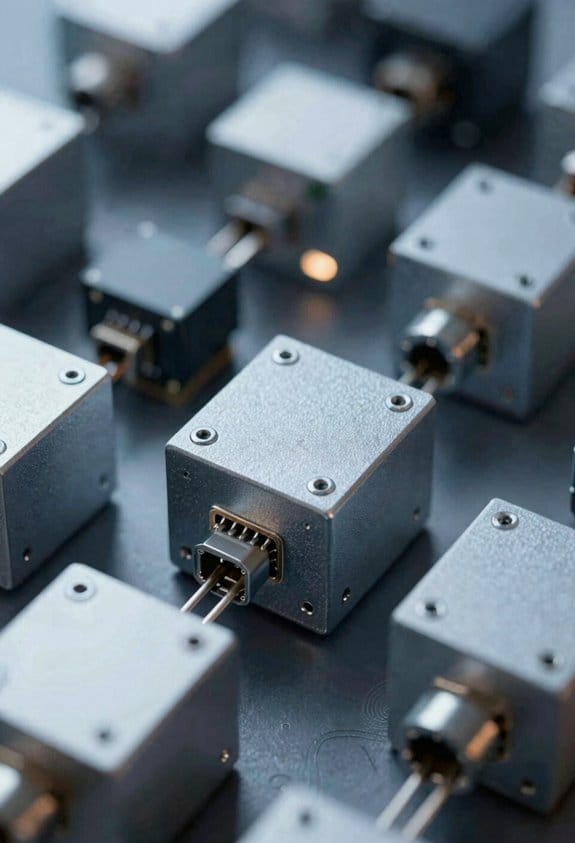
If you’ve ever set up sensors in a small shop or shed, this is why network choice matters: your batteries and your time. Pick the right radio and you can run temperature or door sensors for years on a single AA. Example: a supply-room fridge sensor using LoRaWAN sent one packet per hour and ran on a single 18650 for 18 months.
Why LoRaWAN for long-range low-data sensors matters: because it gives you kilometers of range with tiny transmissions. Use LoRaWAN when you need 1–10 uplinks per hour, range of 1–5 km in urban areas or 5–15 km in rural areas, and battery life measured in years. Real-world example: an agricultural moisture probe on a 5 km field that reports every 4 hours and lasts 2+ years on two AA batteries.
Why BLE for short-range high-density setups matters: because it supports many devices in a small area with low power per connection. Use Bluetooth Low Energy when sensors sit within 30–50 meters of a phone or gateway, report every few minutes, and you want easy provisioning from a smartphone. Real-world example: a retail rack of 30 proximity beacons that you configure and update from a manager’s phone during a 20-minute visit.
Why Zigbee/Thread mesh indoors matters: because mesh lets devices relay traffic so you don’t need extra gateways in a house or office. Use Zigbee or Thread when you have rooms separated by walls and devices spaced 10–30 meters apart; the mesh can extend range across floors. Real-world example: a multi-room smart office where door sensors hop through smart plugs to reach a single gateway.
How to pick sensors that save battery life — because firmware and hardware choices directly cut how often you’ll change batteries:
- Choose sensors with configurable reporting intervals (set to once per 5–60 minutes).
- Pick modules that support aggressive sleep modes and wake on interrupt.
- Verify the device has hardware power management (voltage regulator and low-power MCU).
Example: a motion sensor set to report only on motion and heartbeat every 15 minutes can last 18 months on two AAs.
How to pick gateways so you don’t visit sites often — because remote maintenance is the main operational cost:
- Select gateways that support OTA updates.
- Ensure local buffering for several days of messages when the backhaul drops.
- Prefer gateways with local web UI and optional cellular failover.
Example: a LoRaWAN gateway with 16 MB log buffer and LTE backup avoided a truck roll during a 3-day ISP outage.
Quick deployment tips you can follow this afternoon — because simple installs lower costs and failures:
- Map signal with a phone app or cheap USB dongle before fixing hardware.
- Mount gateways high (ceiling or high shelf) and sensors lower for line-of-sight where possible.
- Start with conservative reporting (long intervals) and shorten only if you need more frequency.
Example: in a 200 m² retail store, mapping showed a single ceiling-mounted gateway covered 95% of the floor plan.
Final concrete checks before buying — because a small mistake costs you repeated visits:
- Confirm expected range: indoor vs. outdoor numbers differ by 2–5x.
- Check battery specs: estimate months = battery capacity (mAh) / average mA draw.
- Ask for sample units and test for 2–4 weeks on-site.
Example: calculate a sensor drawing 50 µA sleep + 30 mA transmit for 50 ms once per hour: average ≈ 61 µA; a 2400 mAh battery lasts ~40 months.
Keep your choices simple: pick one network per site when possible, choose sensors with sleep modes and OTA-capable gateways, and test before scaling.
SME Use Cases: Retail, Transport, and Light Manufacturing
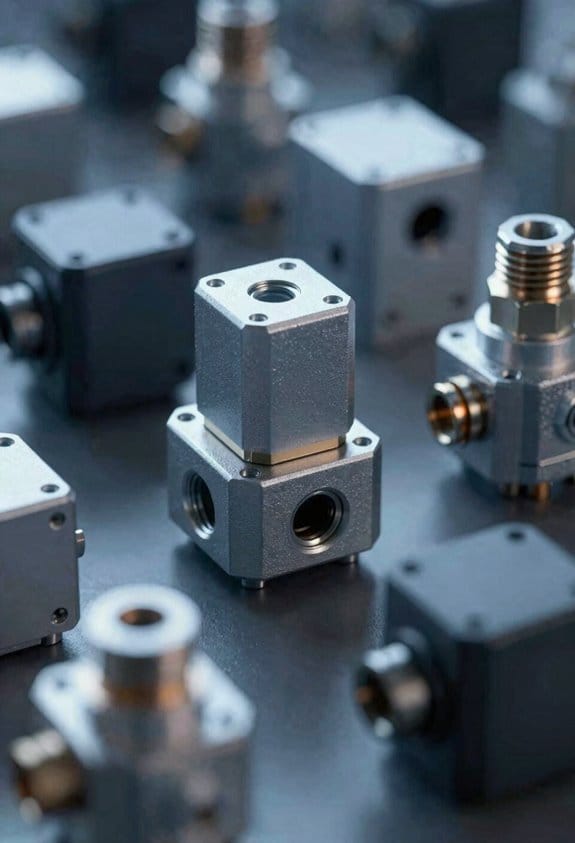
If you’ve ever run a small shop, this is why simple radios and sensors matter: they save you time and stop small mistakes from turning into lost sales.
Retail: How do you keep stock accurate across channels?
Why it matters in one sentence: Accurate stock prevents overselling and saves staff time on reconciliations.
Real example: A corner bakery in Bristol fitted three weight sensors under pastry trays and a LoRaWAN gateway in the office; the owner could see real‑time counts on a tablet at the counter.
How to do it:
- Place one sensor per shelf or tray and label each sensor with the SKU number.
- Send data every 15 minutes and use edge filtering to only transmit when counts change by 1+ items.
- Integrate the gateway with your POS or inventory app via the gateway’s MQTT endpoint.
Result: online, in‑store, and warehouse counts stay aligned and customers see correct availability.
Transport: How do you cut fuel and delays with simple tracking?
Why it matters in one sentence: Reducing idle time and poor routes lowers fuel bills and driver stress.
Real example: A local courier with five vans added GPS trackers and a fuel‑flow sensor; the dispatcher rerouted two morning runs and saved about 8% on fuel that month.
How to do it:
- Fit GPS and an OBD‑II based fuel sensor on each vehicle.
- Sample location every 60–120 seconds while moving, and every 10 minutes when parked.
- Use a telematics dashboard that flags stops over 10 minutes and routes over 15% longer than the optimal.
Result: drivers follow shorter routes, idle time drops, and managers get clear alerts when runs delay.
Light manufacturing: How do you keep quality without heavy systems?
Why it matters in one sentence: Small sensors catch production drift early so you avoid rework and scrap.
Real example: A small metal‑fabrication shop mounted a line‑speed sensor and two temperature sensors along a press; when speed drifted 5% off target, the operator corrected feed rates and prevented a bad batch.
How to do it:
- Mount a compact tachometer on the production line, plus environmental sensors for humidity and temperature near sensitive stations.
- Sample speed every second and send aggregated minute averages to the gateway; only send alerts when deviation exceeds 3–5%.
- Display a simple dashboard at the line and push SMS alerts for out‑of‑range readings.
Result: you keep throughput steady, catch problems early, and avoid costly inspections.
Across all three settings, remember these practical tips:
- Use low data rates and edge filtering so your monthly connectivity costs stay low.
- Start with one pilot area (one store, one van, or one machine) for 2–4 weeks before full rollout.
- Train one person for 30 minutes on the dashboard and alert responses.
These steps make deployments affordable and manageable for your small team.
ROI Models and Predictive‑Maintenance Savings for Small Ops
Here’s what actually happens when you measure predictive‑maintenance ROI for a small operation: you make the case with a few clear numbers so decisions stop feeling like guesses.
Why this matters: you’ll know whether sensors pay back faster than the problems they prevent.
1) Estimate baseline downtime and cost.
- Step 1: forecast downtime hours per month. Example: a small plant averages 8 hours of unplanned downtime monthly for a key press.
- Step 2: multiply hours by direct labor cost and lost-output rate. If the press produces $1,200/hour of product and labor is $40/hour, monthly downtime cost = (8 × $1,200) + (8 × $40) = $9,920.
- Real-world example: Tommy’s sheet‑metal shop tracked a grinder that lost 6 hours/month; his number came to $7,440/month because product value was $1,200/hour and labor $20/hour.
Why this matters: lifecycle valuation shows whether earlier, smaller costs beat rare big failures.
2) Compare current repairs to sensor‑driven interventions.
- Step 1: list current repair schedule costs and failure rates. Example: reactive repairs average $12,000/year including emergency parts and overtime.
- Step 2: estimate sensor‑triggered interventions per year and their cost. If you shift to condition‑based fixes and you do two planned interventions yearly at $2,000 each, that’s $4,000/year.
- Include sensor, connectivity, and software costs pro‑rated over asset life. If sensors cost $3,000, connectivity $300/year, and software $600/year, and the asset life is 5 years, allocate ($3,000/5) + $300 + $600 = $1,500/year.
- Real-world example: a bakery added vibration sensors to an oven for $2,500 and reduced emergency repairs from $8,000/year to $1,500/year; their net saving after annualized sensor costs was $3,100/year.
Why this matters: net annual benefit gives you payback and ROI numbers you can use.
3) Compute payoff and test assumptions.
- Step 1: subtract expected savings from reduced unplanned downtime and smaller parts inventory from the new annual costs. Example: reduce unplanned downtime savings = $20,000/year; new annual costs = $6,000 (interventions) + $1,500 (annualized sensors) = $7,500; net annual benefit = $12,500.
- Step 2: divide net annual benefit by total investment to get simple payback and ROI. If total investment (installation, setup, training) = $25,000, simple payback = $25,000 / $12,500 = 2 years and ROI = 50% per year.
- Step 3: run a sensitivity test on uptime assumptions. Try uptime improvement of 10%, 25%, and 50% and note payback for each scenario so you see the range.
- Real-world example: a small fleet operator assumed 25% fewer breakdowns and found payback in 1.8 years; at only 10% fewer breakdowns payback slipped to 3.6 years.
Quick checklist to build your model (3+ parallel items, so bullets):
- Measure current downtime hours and dollars for one critical asset.
- Estimate costs of sensor hardware, connectivity, software, and installation.
- Forecast how often sensors will trigger planned work and the cost per intervention.
- Estimate reduced spare parts spend and labor overtime savings.
- Compute net annual benefit, simple payback, and ROI, then run sensitivity tests.
Final takeaway: do the math for one asset first, using concrete numbers like hours, $/hour, and sensor fees; you’ll get a clear payback window you can trust.
How to Start IoT in Your Small Operation This Quarter
Before you start, know why this matters: getting a small IoT pilot running quickly shows concrete savings and builds internal trust.
1) What use case should you pick?
Choose one clear, low‑risk use case that delivers measurable savings in 60–90 days.
Example: install three clamp-on power meters in your packaging area to cut energy waste.
Steps:
- Pick a single location or line to monitor.
- Define the metric you’ll track (kWh, run hours, or stops).
- Set a target (reduce energy by 10% or cut unplanned stops by 20%).
If you hit the target, you’ve proven value.
2) How do you scope a short pilot?
You’ll want a pilot you can deploy in one week and measure in one quarter.
Example: a 30‑day vibration trial on a single motor using one accelerometer and daily trend reports.
Steps:
- Limit the pilot to 3–5 devices.
- Plan for 30–90 days of data collection.
- Pre‑define success criteria (cost savings, fewer stops, or faster fixes).
3) What hardware and network should you choose?
Pick simple, proven tech so you’re not troubleshooting radios for weeks.
Example: use two LoRaWAN door sensors for asset tracking in your small warehouse.
Steps:
- Choose sensors that measure only what you need (temperature, vibration, or power).
- Use LoRaWAN for long range or Wi‑Fi if coverage exists.
- Buy off‑the‑shelf gateways and sensors—start with 3–10 devices.
4) How do you pick a dashboard and alerts?
You need clear visuals and one person who will act on alerts.
Example: a dashboard that shows a single line chart of hourly kWh and a red alert when consumption spikes 30% vs baseline.
Steps:
- Pick a dashboard with prebuilt widgets for your metric.
- Configure 1–2 alerts with clear thresholds.
- Assign one owner who gets notified and can fix issues within 24 hours.
Make the dashboard show hourly and daily views.
5) How do you train staff and assign roles?
Training reduces false alarms and speeds fixes.
Example: a 45‑minute hands‑on session where technicians learn to replace a sensor battery and acknowledge alerts.
Steps:
- Train the small team (2–4 people) in one 45–60 minute session.
- Create a one‑page runbook with alert responses and contact names.
- Name one owner responsible for acting on alerts and one backup.
6) How do you measure outcomes and compare to ROI?
You must measure cost and downtime so you can justify scaling.
Example: log technician hours before and after the pilot for 60 days to calculate labor savings.
Steps:
- Track baseline metrics for two weeks before you start.
- Collect pilot data for 30–90 days.
- Compare actual savings (dollars, hours, stops) to your ROI model.
7) How do you scale after a successful pilot?
Scale in controlled steps so problems don’t multiply.
Example: triple device count in one area, then add one integration (CMMS) after 90 days.
Steps:
- Add devices in batches of 10–20% of your target per month.
- Integrate one system at a time (first dashboard, then CMMS).
- Revisit training and runbooks after each batch.
Final practical checklist (use this in your first week):
- Pick use case and 3–5 devices.
- Buy gateway and sensors.
- Define success metrics and thresholds.
- Schedule one 45‑minute training and name an owner.
- Collect baseline data, run 30–90 day pilot, then compare savings.
If you follow these steps, you’ll have a working IoT capability this quarter and clear evidence to expand.
Frequently Asked Questions
How Do Iot Projects Impact My Business Insurance Premiums?
They can lower premiums: I’ve seen insurance discounts when IoT improves monitoring and predictive maintenance, and insurers use enhanced risk modeling from sensor data to justify reduced rates, though premiums vary by adoption and data quality.
What Data Privacy Regulations Apply to Small-Operation Iot Deployments?
64% market share among SMEs grabs me — I’ll tell you: GDPR applicability matters if you process EU personal data, so I’ll enforce Data minimization, secure consent, breach notification, and local privacy laws like CCPA or sectoral rules.
Can Legacy Equipment Be Retrofitted With Iot Affordably?
Yes — I can retrofit legacy gear affordably using sensor gateways and protocol adapters, prioritizing low-cost sensors, LoRaWAN or Ethernet nodes, phased rollouts, and cloud-based analytics to cut downtime and spread capital expenses.
What Cybersecurity Certifications Should Iot Vendors Provide?
Like a locked gate, I’d look for vendors with ISO 27001, IEC 62443, SOC 2 reports, device attestation proofs, secure provisioning processes, FIPS-validated crypto, and regular pen tests, so I can trust their IoT security.
How Do Iot Deployments Affect Employee Roles and Staffing?
I see IoT deployments drive role evolution, shifting staff toward data analysis, maintenance, and automation oversight; I’ll help you plan staffing optimization by reskilling workers, reallocating roles, and combining humans with IoT for greater efficiency.